
Xray System Configuration
Overview
Section titled “Overview”Xray system configuration covers global settings affecting every inbound and outbound. They live in the same config.json as inbounds / outbounds / routing and are viewed and edited in Servers → server card “Xray Config” → “Config” tab.
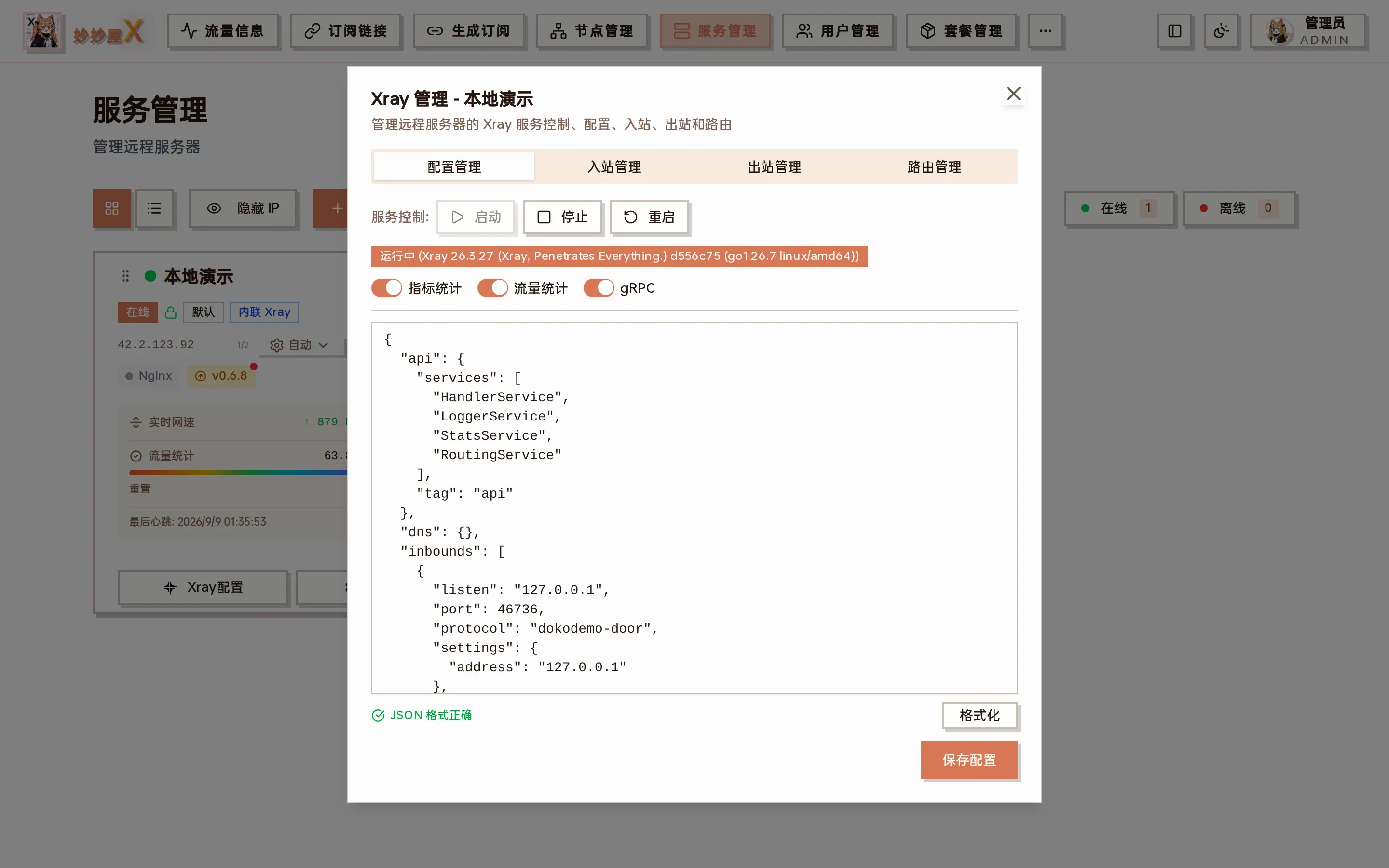
Config tab: the full config.json with api / dns / inbounds / outbounds / routing / policy / stats top-level fields
Settings
Section titled “Settings”| Setting | Description |
|---|---|
| Log level | none / error / warning / info / debug |
| DNS | Custom DNS servers |
| Policy | Connection policy, buffer sizes |
| Stats | Traffic statistics switch |
| API | gRPC API (used for traffic statistics) |
The api section at the top of the screenshot (HandlerService / LoggerService / StatsService / RoutingService) and the dokodemo-door inbound tagged api on 127.0.0.1 in inbounds[0] are what remote management and traffic statistics rely on — do not delete them.
How to edit
Section titled “How to edit”- Open the server card’s “Xray Config” and stay on the “Config” tab
- Edit in place, e.g. set
log.logleveltowarningor add custom servers underdns.servers - Click “Format” to validate the JSON, then “Save config”; the master pushes it and restarts Xray
- To roll back, pick an earlier snapshot in “Agent → Config history” and “Push”
For embedded-Xray servers the Agent injects stats, policy and the custom dispatcher into the config at startup; manual edits to those fields are overwritten on the next start.
- Xray must restart after changing system configuration (saving does it automatically)
- Traffic statistics slightly increase memory usage
- The API inbound is used for gRPC traffic statistics; do not delete it