
Common Operations
How to add an inbound / node?
Section titled “How to add an inbound / node?”Go to “Node Management”, click the “Add Node” button in the top right corner. In the wizard popup, select server, protocol, transport/security, then save. The system will create the corresponding Xray inbound and automatically sync it as a node in the list.
How to specify a node’s outbound (set up landing)?
Section titled “How to specify a node’s outbound (set up landing)?”In “Node Management”, click the bidirectional arrow button on a node row. In the popup dialog, you can either select an existing node as the outbound, or create a new landing inbound on a server (the system auto-configures inbound, outbound, and routing rules). This is the entry point for chain proxy / landing relay.
How to share accounts with others?
Section titled “How to share accounts with others?”Two steps:
- Create a package: In “Package Management”, create a new package - set traffic quota, reset cycle (monthly/custom), speed limit (optional), device limit (optional), and select which nodes the package includes.
- Create a user and bind: In “User Management”, create a new user and bind the package. The system automatically generates a subscription link for the user - they can use any client to pull this link and see the nodes in the package.
When a package runs over its quota, the panel removes its credentials from the nodes and that package’s nodes stop working; access returns on the reset day, after a quota increase or a traffic reset. See the carpool walkthrough.
I migrated from MiaoMiaoWu (mmw), why can’t I see the original features?
Section titled “I migrated from MiaoMiaoWu (mmw), why can’t I see the original features?”You need to enable the “MiaoMiaoWu Features Toggle” in “System Settings”. Once enabled, MiaoMiaoWu-related menus (subscription probe, subscription generation, etc.) will appear in the top bar, coexisting with MiaoMiaoWu X features like server management, packages, and templates.
How do I check logs when something goes wrong?
Section titled “How do I check logs when something goes wrong?”Open “Logs”. Four tabs — system log, Agent log, scheduled tasks, security log — with level filter, line count and clear. Agent interaction logs require the Agent log switch in “System Settings”.
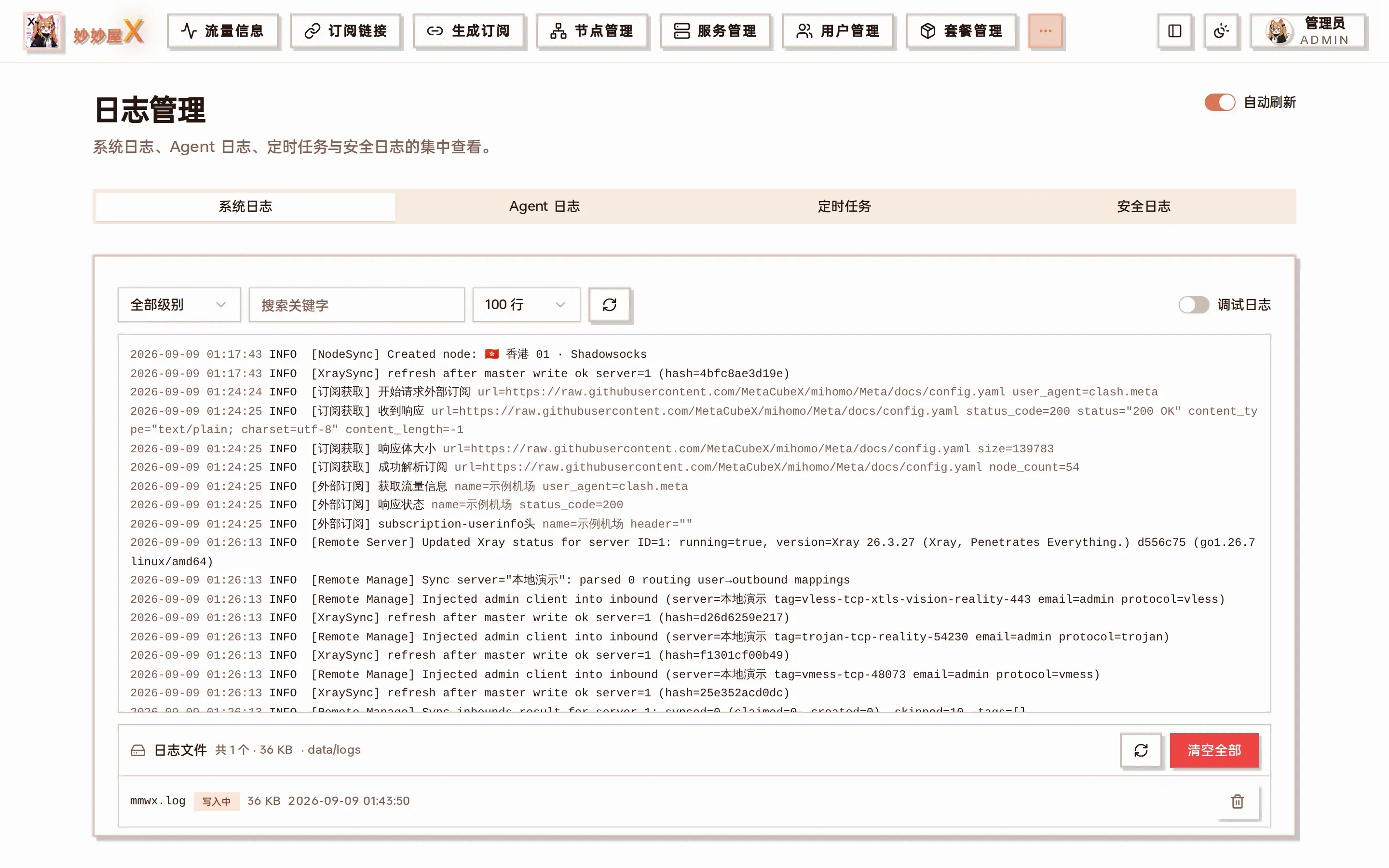
Logs: system / Agent / scheduled tasks / security
I forgot the admin password — how do I reset it?
Section titled “I forgot the admin password — how do I reset it?”MiaoMiaoWuX provides no remote channel to reset the admin password (no API, no license service, no remote command). This is an intentional safety constraint — any centralized remote channel, once compromised, would let an attacker take over every user’s admin account.
The correct approach is to SSH into your server and run the script reset-admin-password.sh shipped with the project. It auto-detects your deployment (systemd one-click install / Docker), locates the database, lists admin accounts for you to pick, asks for a new password, bcrypt-hashes it into the DB, and restarts mmwx.
One-liner (works for systemd + Docker deployments):
bash <(curl -fsSL https://raw.githubusercontent.com/iluobei/miaomiaowuX/refs/heads/main/scripts/reset-admin-password.sh)
If GitHub is unreachable, find the script in your local mmwx source tree at scripts/reset-admin-password.sh and run it directly with bash.
The script will: 1) auto-detect mmwx.db (default /etc/mmwx/data, walks Docker volumes, falls back to /proc cwd of the mmwx process); 2) install missing sqlite3 / htpasswd via apt/yum/apk; 3) list all active admins (prompts to pick when there are multiple); 4) ask for the new password twice (hidden input); 5) auto-backup the DB (.bak-timestamp); 6) write the bcrypt hash, and also disable 2FA in case the TOTP device was lost along with the password; 7) auto-restart mmwx (systemctl / docker restart).
Once it finishes, log in with the new password. Then go to “System Settings → Change Password” and set a fresh password yourself, and create a second admin under “User Management” as a backup.