
Xray Outbound Management
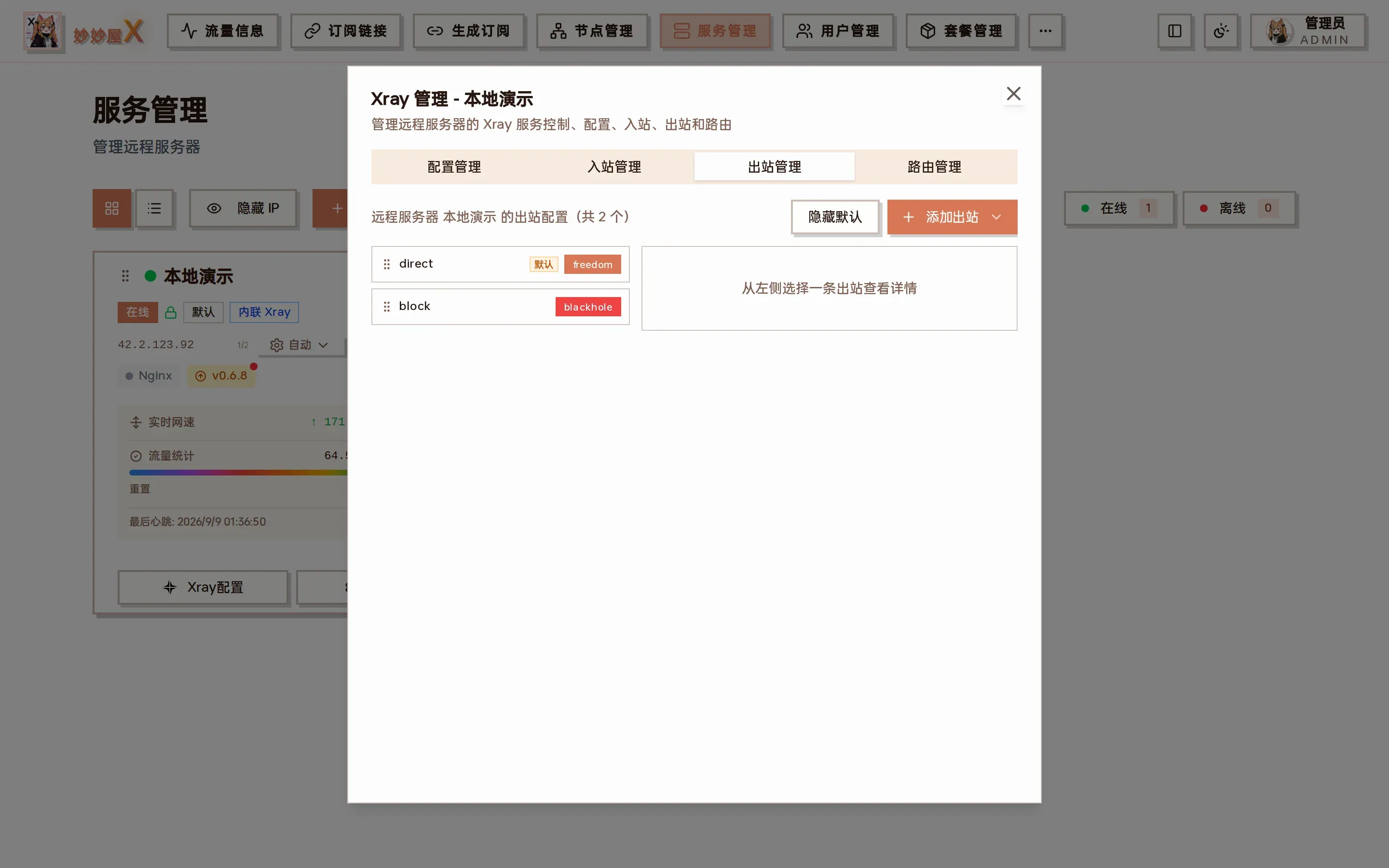
Xray management → Outbounds: outbound list on the left (default direct / block can be hidden with “Hide defaults”), details of the selected outbound on the right
Outbounds
Section titled “Outbounds”Outbounds define how traffic leaves Xray. freedom (direct) and blackhole (block) exist by default.
| Type | Description |
|---|---|
| Freedom | Direct outbound |
| Blackhole | Drops all traffic |
| VLESS/VMess/Trojan/SS | Proxy outbound through another proxy server |
| Tunnel | Tunnel outbound |
| WARP v0.2.3+ | Cloudflare WARP exit (WireGuard); “Add Outbound → Cloudflare WARP” installs it, one account per agent, isolated traffic |
Where to find it
Section titled “Where to find it”- Sidebar “Xray Outbounds”: choose a server to list its outbounds; “Hide default outbounds” and “Add Outbound” at the top right
- Servers → server card “Xray Config” → “Outbounds” tab (two-pane, drag to reorder)
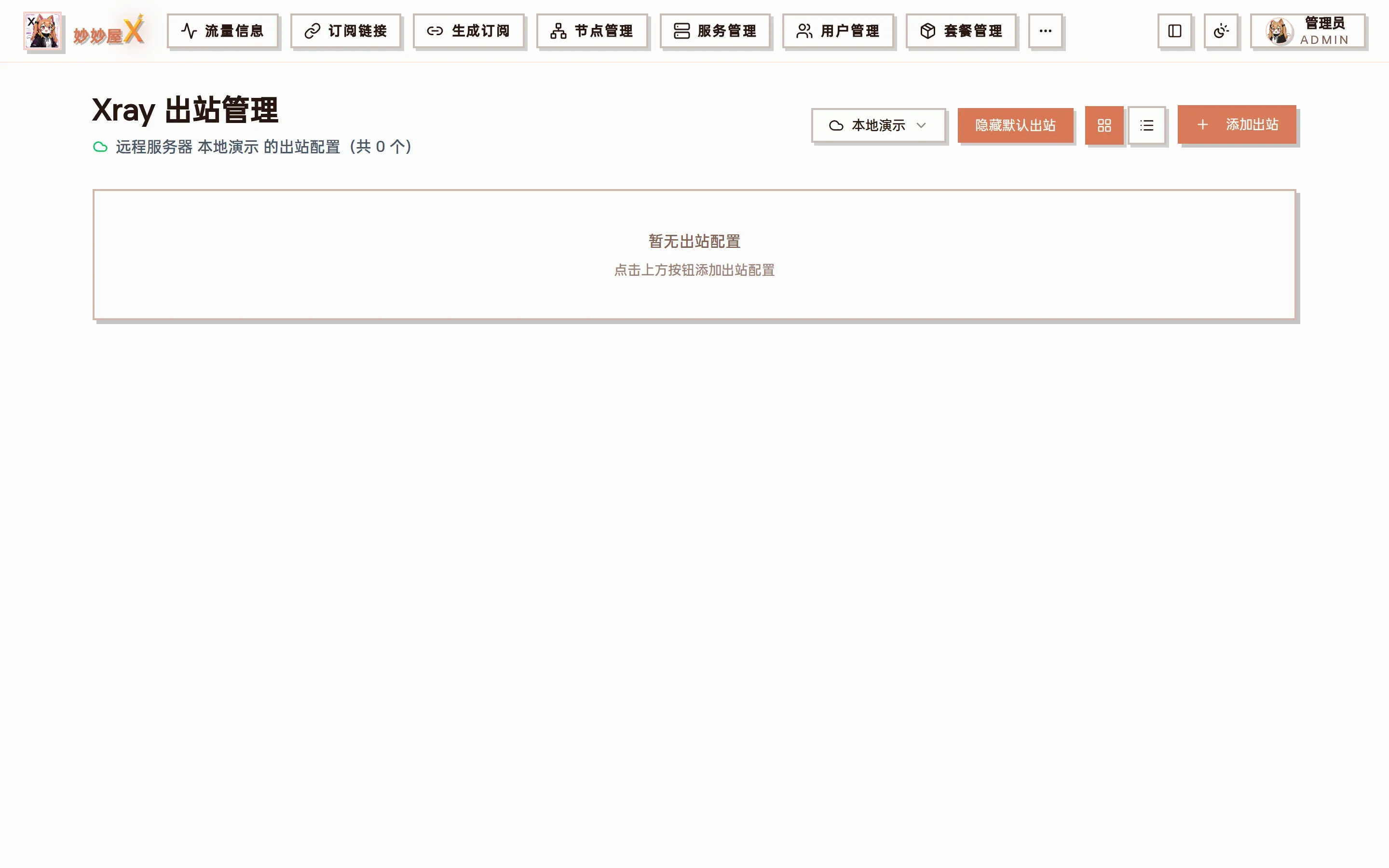
The standalone Xray Outbounds page
In practice most outbounds need not be added by hand: in Nodes click a node’s “Create chained outbound” button, pick a landing node or server, and the proxy outbound plus routing rule are created on the source server automatically, see Routed Outbound.
Routing rules
Section titled “Routing rules”Routing rules decide which outbound handles inbound traffic, by domain, IP, protocol and more.
- Domain matching (domain, full, regexp)
- IP matching (CIDR, GeoIP)
- Protocol matching
- Port matching
- Inbound tag matching
Rules are maintained in the “Routing” tab, see Xray Routing.
Operations
Section titled “Operations”Manage outbounds and routing rules in the server’s “Outbounds” and “Routing” tabs: add, edit, delete. Xray must restart for changes to apply (routing changes restart automatically).
Cloudflare WARP outbound
Section titled “Cloudflare WARP outbound”Since v0.2.3 Cloudflare WARP is built in. Each agent registers its own account with Cloudflare (no wgcf binary) and gains warp-v4 / warp-v6 WireGuard outbounds that routing can target.
- In the Outbounds tab click “Add Outbound” → “Cloudflare WARP” to open the WARP panel.
- Click “Install WARP”; the agent registers, writes warp.json and adds warp-v4 + warp-v6; the server card shows an orange W badge.
- For WARP+ paste the license key and “Upgrade WARP+”; “Refresh config” re-fetches and re-injects the outbounds (idempotent by tag).
Quick rule — avoid China redirection
Section titled “Quick rule — avoid China redirection”For servers with WARP installed, the routing panel’s quick rules gain “Avoid China redirection”: route geosite:google + geosite:meta through warp-v4 so Google / Meta traffic is not steered to mainland nodes.
- Default MTU 1420 (WireGuard standard); noKernelTun=false forces userspace gVisor TUN, no host tun module or CAP_NET_ADMIN needed.
- Uninstalling deregisters the Cloudflare account, deletes warp.json and removes warp-v4 / warp-v6 from xray.