
Backup & Restore
Entry points
Section titled “Entry points”- Manual backup / restore: avatar menu at the top right → “Backup data” to download the full ZIP or upload one to restore
- Auto backup: “System Settings → System → Auto backup” packs data, certificates and subscription files (optionally the database) on a schedule and uploads it remotely, keeping N copies
- Restore during setup: the first-run setup wizard has “Restore from backup” at the bottom
- Database switch: “System Settings → Database” migrates between SQLite and PostgreSQL
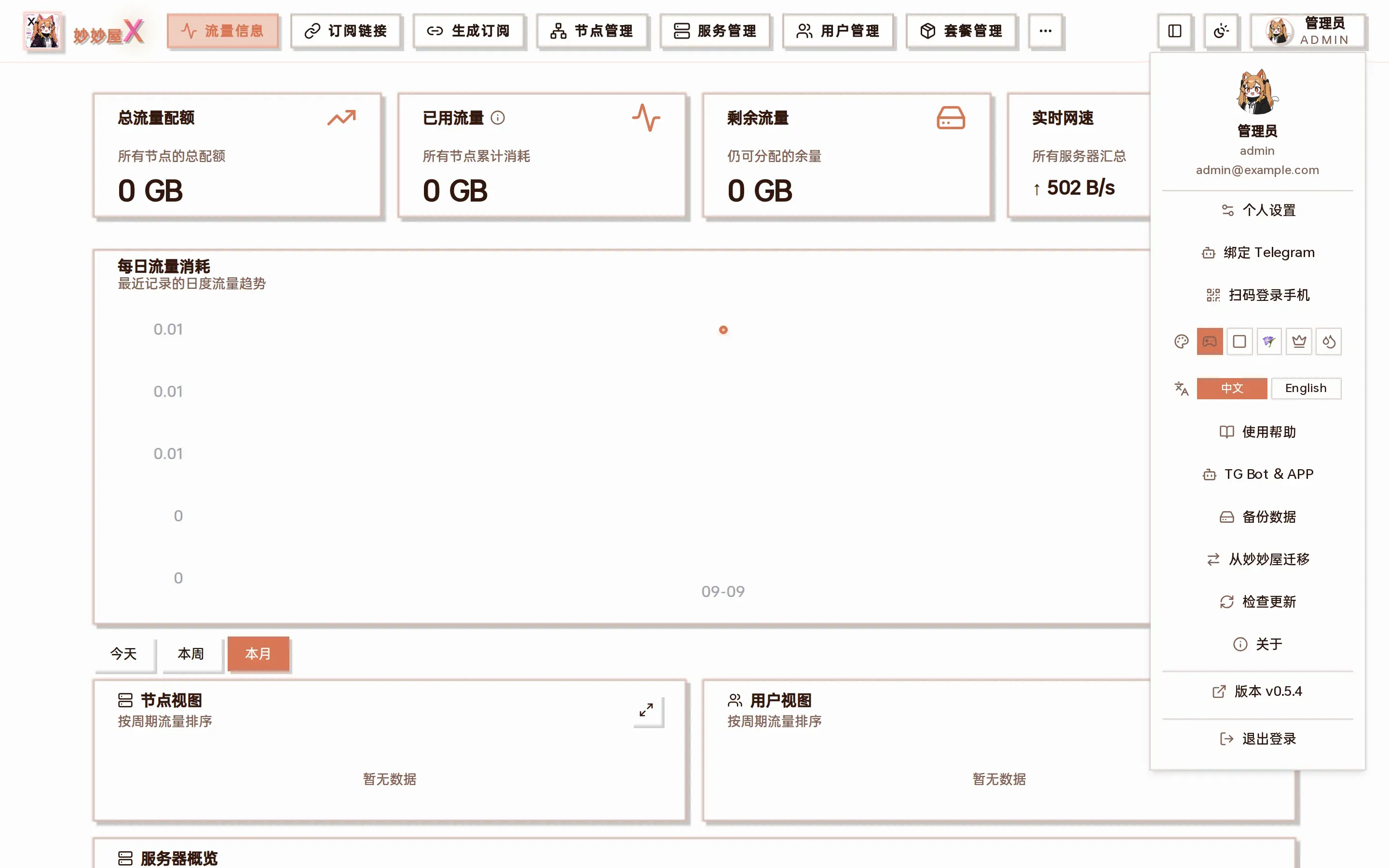
Avatar menu: backup data, migrate from MiaoMiaoWu, check for updates …
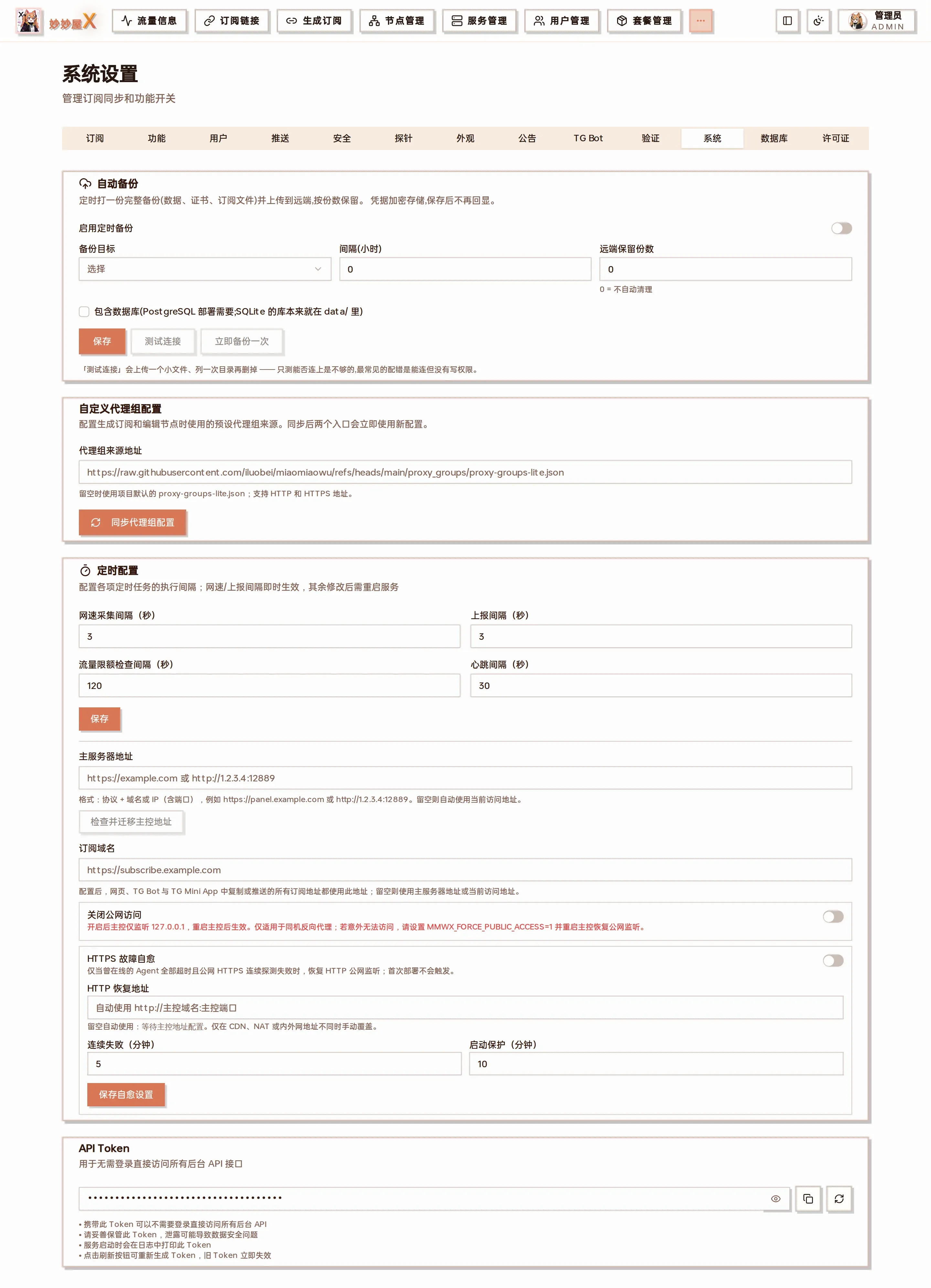
System Settings → System: auto backup (enable, target, interval, remote copies to keep, include database)
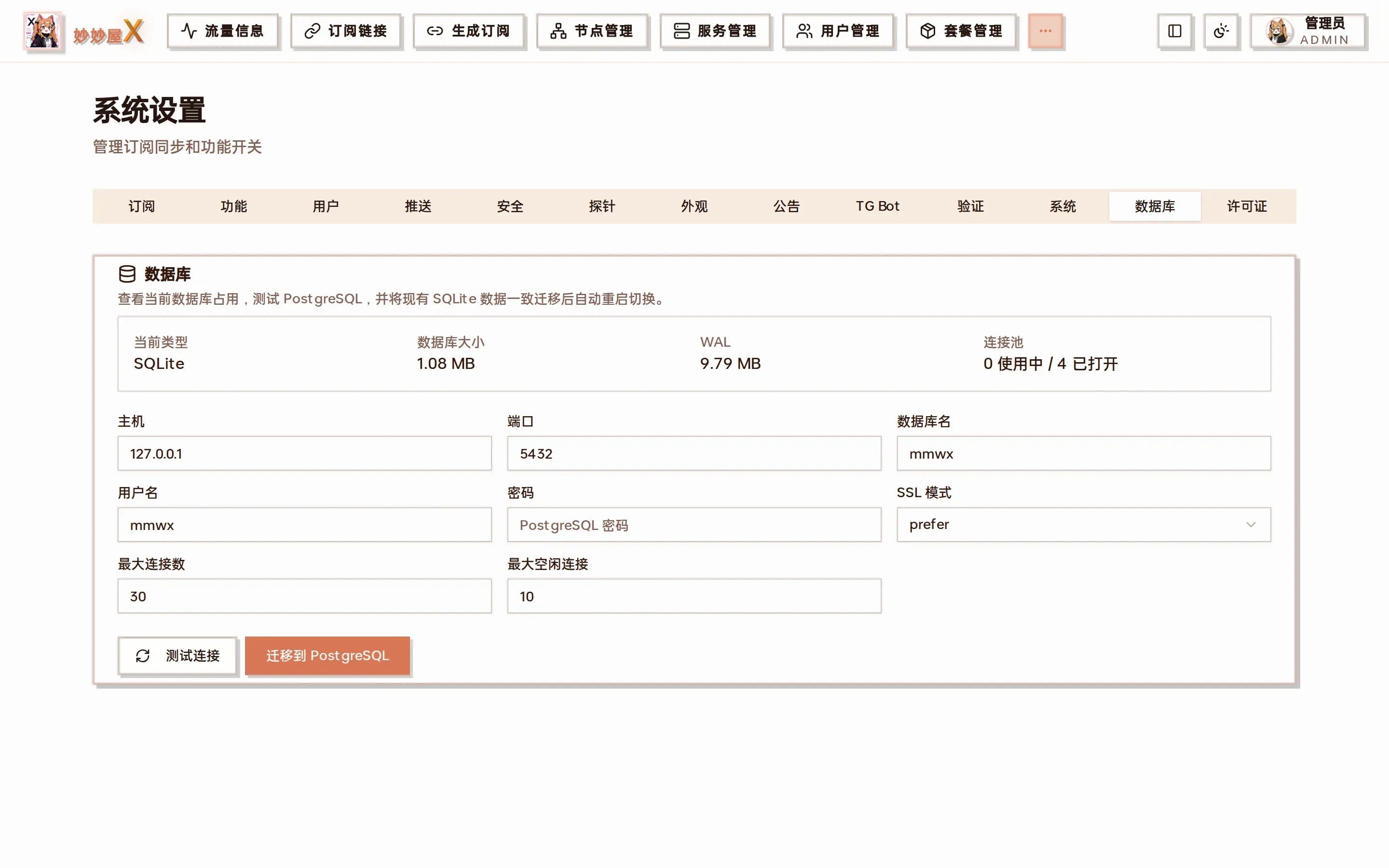
System Settings → Database: view the current database type, migrate to PostgreSQL or back to SQLite
Included data
Section titled “Included data”Database
Section titled “Database”Users, packages, nodes, servers, and system settings.
Subscription resources
Section titled “Subscription resources”The subscribes directory and files needed to generate subscriptions.
Certificates
Section titled “Certificates”Issued certificates, self-signed certificates, and private keys.
Restore workflow
Section titled “Restore workflow”- Download a fresh backup from the system menu and ensure the ZIP finishes saving.
- Keep a separate copy of current data; upload the backup and wait for validation and replacement.
- Sign in again, verify servers, nodes, certificates, and subscriptions, then allow Agents to reconnect.
PostgreSQL backups
Section titled “PostgreSQL backups”# Docker Compose 数据库备份docker exec miaomiaowux-postgres pg_dump -U mmwx -Fc mmwx > mmwx.dump
# 恢复到空数据库docker exec -i miaomiaowux-postgres pg_restore -U mmwx -d mmwx --clean --if-exists < mmwx.dump
# 同时备份运行目录tar czf mmwx-files.tar.gz data subscribes rule_templatesStartup database recovery
Section titled “Startup database recovery”The master checks SQLite integrity on startup and may restore a valid mmwx.db.backup if the database cannot open. The hourly database backup task has been removed, so this emergency copy is not a formal backup; regularly download a complete backup from the UI.