
Package Management
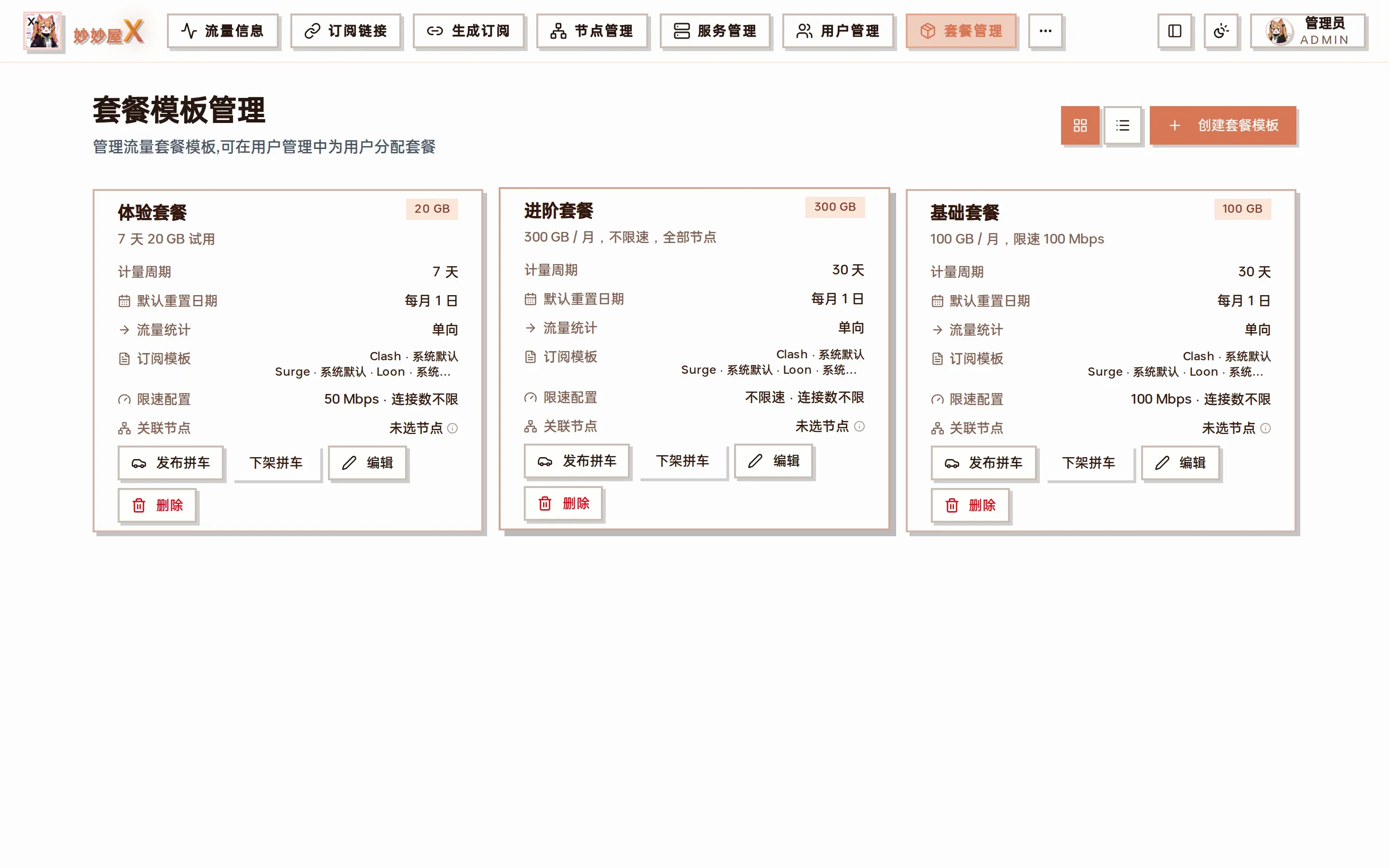
Packages — one card per template: quota, cycle, speed limit, node count, plus edit / delete / publish carpool
Try it: package management
Section titled “Try it: package management”4 mock packages; create, edit, delete; each package picks associated nodes / quota / cycle / one-way or two-way counting.
Overview
Section titled “Overview”A package defines the traffic quota, validity and node scope a user can use. One user can hold several package instances; each has independent credentials, cycle baseline, quota and expiry.
Package attributes
Section titled “Package attributes”| Attribute | Description |
|---|---|
| Name / description | Display name and notes |
| Traffic quota | GB per cycle, 0 = unlimited |
| Counting mode | One-way (×1, default) or two-way (×2) |
| Clash / Surge / Loon template | Templates used when generating subscriptions; empty = system default |
| Billing cycle | Days, default 30; optional monthly reset on a given day |
| Speed limit (Mbps) | Max download per user, 0 = unlimited (PRO, embedded Xray) |
| Connection limit | Max concurrent connections per user, 0 = unlimited (PRO) |
| Forwarding quota | Lets package users create their own forwards on selected entry chains |
| Associated nodes | Node scope; none = all nodes; optional per-package node names |
Create a package
Section titled “Create a package”- Open “Packages”
- Click “Create Package Template”
- Enter name, description, quota; choose counting mode and templates as needed
- Set the cycle / reset day, speed limit and connection limit
- Tick the nodes on the right (none = all nodes)
- Click “Save”
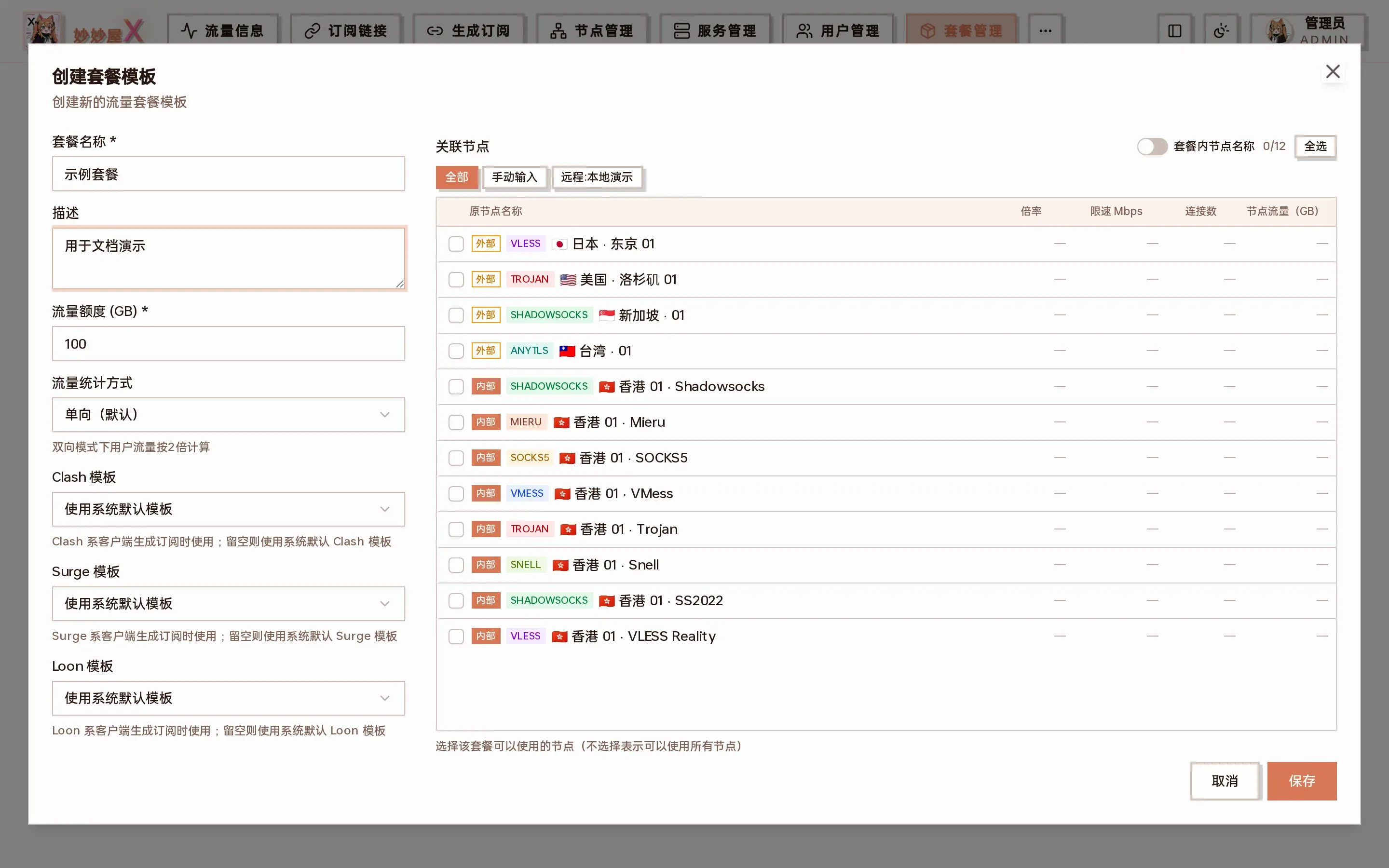
Create package template: basic parameters on the left, associated nodes on the right
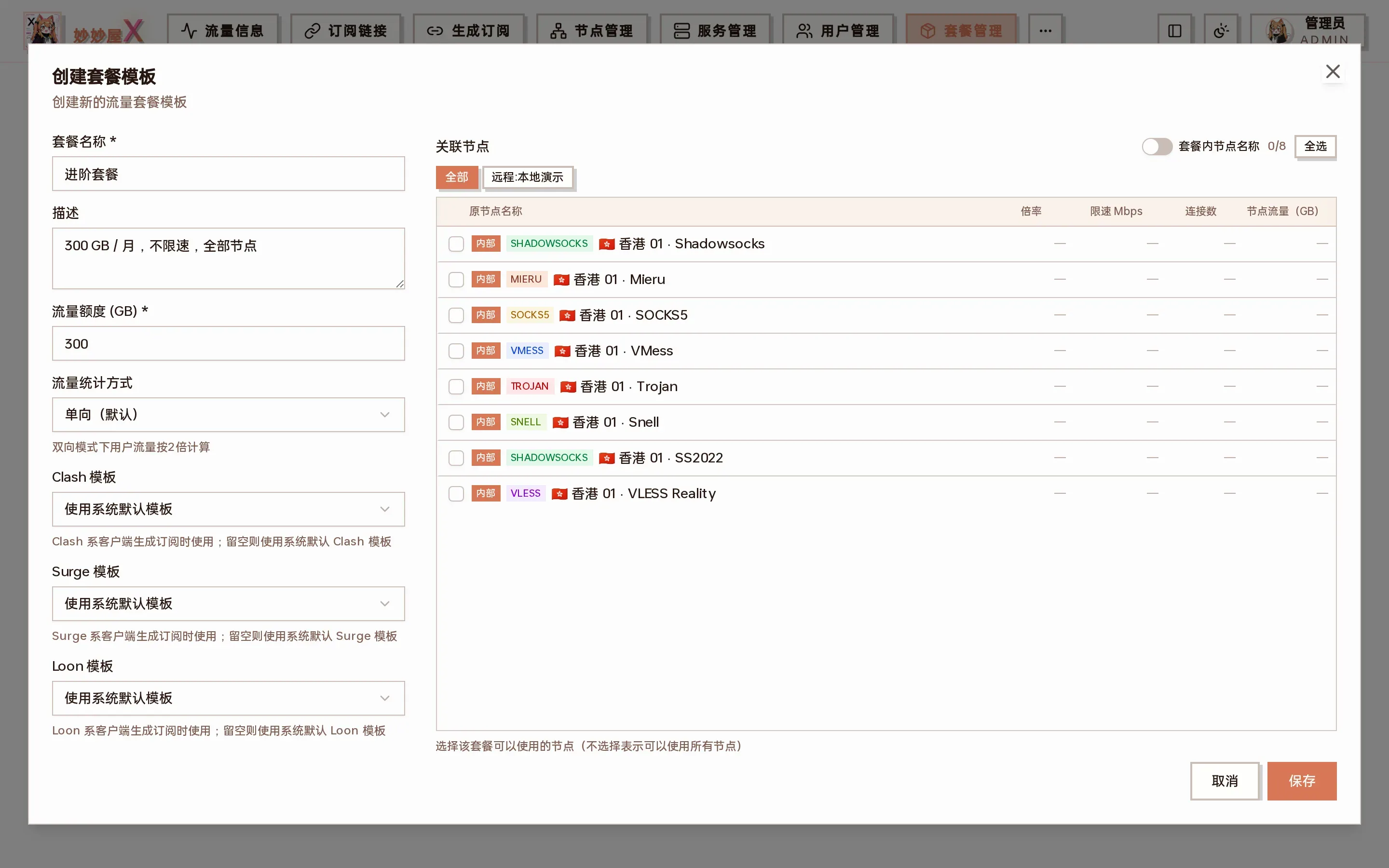
Scrolled down: billing cycle, monthly reset, speed limit and connection limit (PRO)
If no node is ticked, saving asks for confirmation: empty means “all nodes” and users bound to the package can use every node.
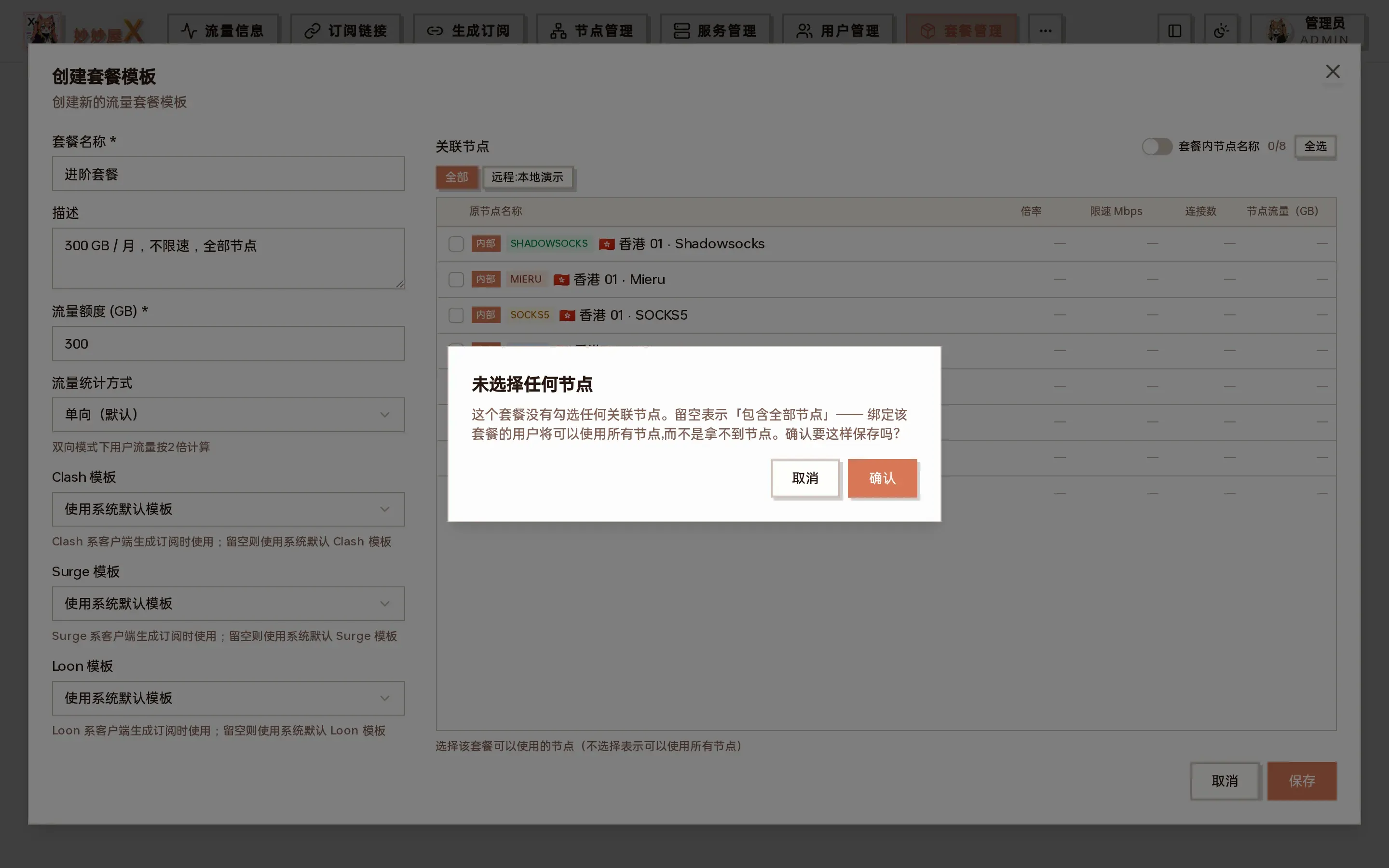
Confirmation when no node is selected
Example: three typical tiers
Section titled “Example: three typical tiers”| Package | Traffic | Cycle | Speed | Nodes | For |
|---|---|---|---|---|---|
| Trial | 20 GB | 7 days | 50 Mbps | 1–2 nodes | Trials |
| Basic | 100 GB | 30 days | 100 Mbps | Regular nodes | Light use |
| Advanced | 300 GB | 30 days | Unlimited | All nodes (untick) | Heavy / family |
Then bind them to users in User Management → Bind and manage packages.
Edit a package
Section titled “Edit a package”“Edit” on the card opens the same form; with many nodes, use “Select all” or the tag filters on the right:
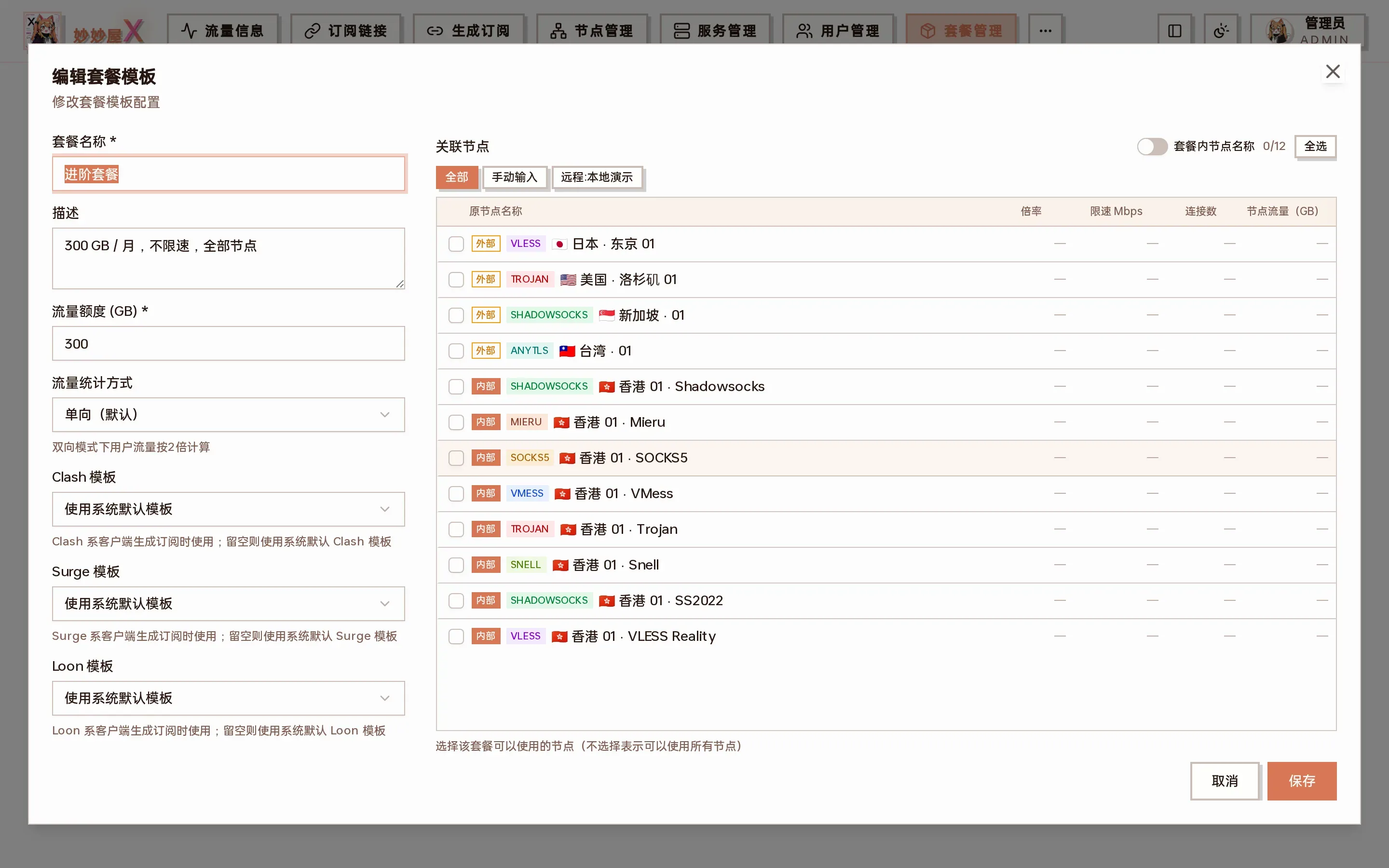
Edit package template: filter nodes by “All / Manual / Remote:server” tags
Quota changes apply immediately; multiplier / counting mode changes only affect later increments.
Reorder packages
Section titled “Reorder packages”In the sort selector at the top right, “Default order” is the order the admin arranged. Click “Reorder” next to it to open the ordering dialog: drag the handle, use the buttons on each row, or select a row and press ↑ ↓. After saving, the card and list views follow it, and so do package pickers on other pages; packages created later appear first.
Publish carpool
Section titled “Publish carpool”“Publish carpool / Unpublish” lists the package on the carpool market so other users can join with an invite code, see Carpool FAQ.
Speed and device limits
Section titled “Speed and device limits”Packages can set a speed limit (Mbps) and a connection cap; users can also get individual overrides in User Management (user level overrides package level).
Speed limit
Section titled “Speed limit”Upper bound in Mbps, 0 = unlimited. Enforced by the Agent-side limiter on the user’s connections; the UI shows the conversion (8 Mbps ≈ 1 MB/s, 100 Mbps ≈ 12.5 MB/s).
Connections
Section titled “Connections”Caps concurrent connections per user. This is “connections”, not “devices” — one device easily opens dozens of connections; recommended values: Rate Limiting.
Auto throttle / release
Section titled “Auto throttle / release”Auto-throttle rules are triggered by speed, not by the traffic quota: when a user stays above a speed threshold (sustained), or crosses it several times within a window (burst), they are slowed down for a while and then returned to their normal limit. A package without rules uses the global default rules from system settings; rules set on the package replace the global defaults as a whole. Requires servers running embedded Xray.
Traffic statistics and billing multipliers
Section titled “Traffic statistics and billing multipliers”The Xray traffic collector counts every user’s traffic in real time. When a package instance’s billable traffic reaches its quota, the panel removes that instance’s credentials from the nodes, so the user can no longer connect through that package’s nodes (usually within 1–2 minutes; the subscription link itself does not change and the user’s other packages are unaffected). Access returns automatically on the reset day, after a quota increase or a manual traffic reset, without re-importing the subscription. The whole process is shown in the carpool walkthrough.
- Raw up/down are stored per Xray user/email and weighted at collection time
- Packages choose one-way (
oneway,×1) or two-way (twoway,×2) - Billable = (raw up + raw down) × package direction multiplier × node multiplier
- Multiplier changes only affect later increments; each instance advances its baseline per its reset settings, admins can reset manually
The admin home shows server billing figures; the user home and the user list show user Xray billing traffic. With multiple packages the list aggregates all credentials while the limit comes from the primary package — check instances in “Manage Packages”.
Per-page scopes and reconciliation: Traffic Accounting.