
Mieru
Overview
Section titled “Overview”Mieru is an encrypted proxy protocol that does not rely on TLS: keys are derived from a username + password, traffic is encrypted with XChaCha20-Poly1305 and padded randomly, and there is no recognizable handshake. MiaomiaowuX implements the Mieru server inside its embedded (forked) xray core, with TCP and UDP transports and multiple users. Per-user traffic stats / rate-limit / device-limit go through the existing xray dispatcher, sharing the same multi-user capabilities as VLESS / Trojan, and it has been verified interoperable with the official mieru client and mihomo.
| Item | Details |
|---|---|
| Auth | One username + password per user; the server tells users apart by username |
| Transport | TCP / UDP; the server listens on both on the same port |
| Security layer | None (the protocol encrypts by itself; no certificate needed, no TLS / REALITY) |
| Core | Only servers running embedded xray; the external (official) xray has no such protocol |
Adding a node (wizard)
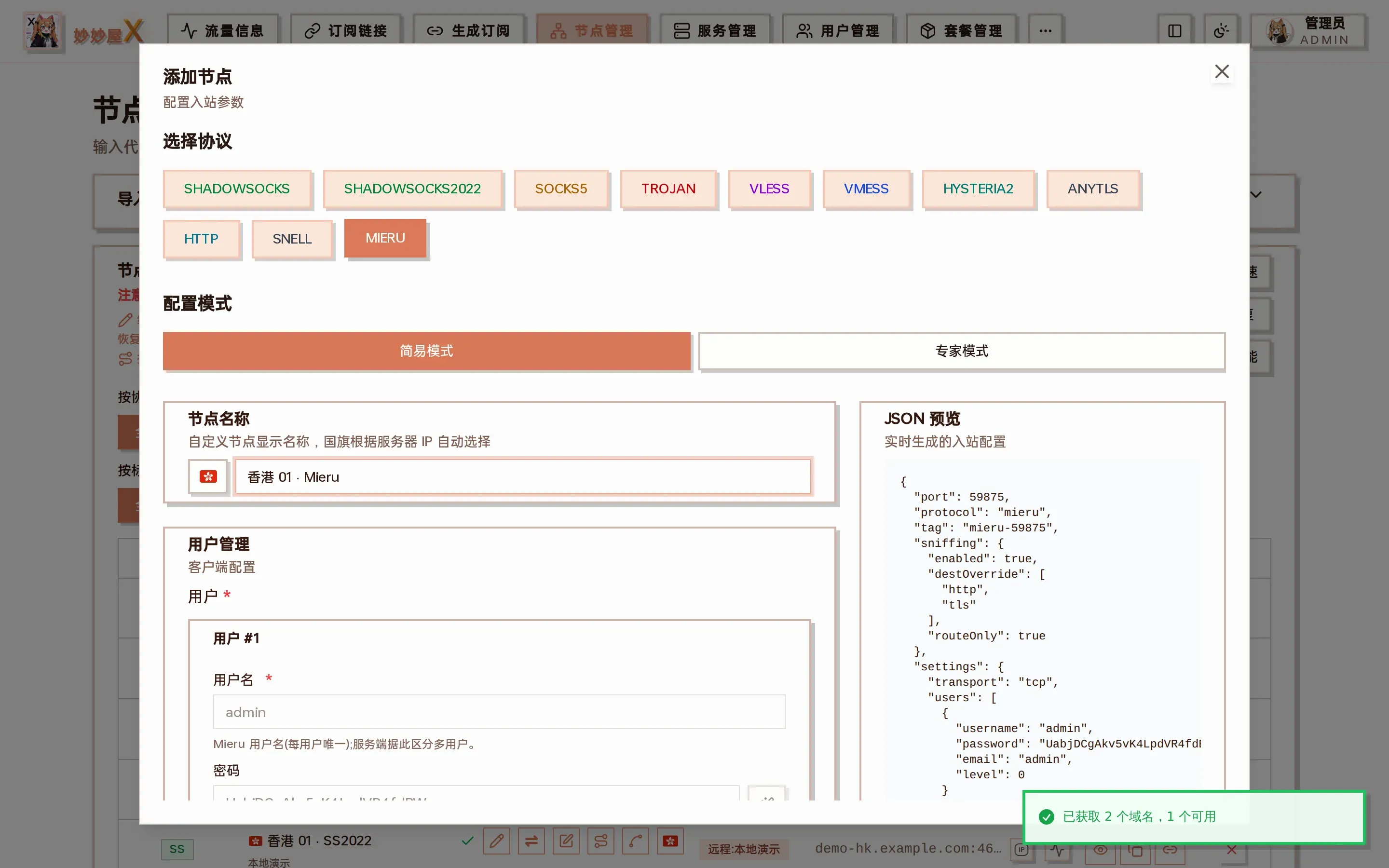
Section titled “Adding a node (wizard)”In Node Management → Add Node, pick MIERU. Transport and security each have a single option, nothing to choose.
Simple mode
Section titled “Simple mode”Just confirm the server and port; the username and password are generated automatically, then submit.
Expert mode
Section titled “Expert mode”You can additionally set:
- Transport: TCP (default, recommended) or UDP. The server listens on both; this only decides which one the subscription tells clients to use. TCP is faster and steadier; UDP resists blocking better but has lower throughput.
- Users: one username + password per user. When added from panel users, the username is the user’s login name and the password is random; usernames must be unique within one inbound.
When bound to a package, every user of the package gets their own username + password on this inbound; subscriptions hand out each user’s own credentials, and traffic and rate limits are counted per user.
Client compatibility
Section titled “Client compatibility”| Client | Support |
|---|---|
| mihomo / Clash.Meta family (Clash Verge Rev, FlClash, Mihomo Party, etc.) | TCP / UDP |
| MeowX Android / Windows | TCP / UDP (mihomo core) |
| MeowX Mac / iOS | TCP only; nodes with transport UDP do not work there |
| Stash | Supported |
| Official mieru client | Supported, import via mieru:// links |
| sing-box, Shadowrocket, Surge, Loon, Quantumult X | Not supported; Mieru nodes are skipped during subscription conversion |
- Open both TCP and UDP in the firewall: the server listens on both on the same port. Even with transport TCP, opening both makes switching later painless.
- The server clock must be accurate: key derivation includes a time factor (2-minute buckets, the server tolerates one bucket either way), so a clock skew of more than a few minutes on server or client breaks connections. Enable NTP time sync on the server.
- Subscription import accepts both
mieru://andmierus://links. - Before switching a server from embedded to external xray, delete its Mieru inbounds first, or the panel refuses the switch (external xray cannot load this protocol).
- Credentials live in
settings.users[](notclients[]); the identity key isusername.
Configuration example
Section titled “Configuration example”{ "tag": "mieru-in", "listen": "0.0.0.0", "port": 2999, "protocol": "mieru", "settings": { "transport": "tcp", "users": [ { "username": "alice", "password": "your-password", "email": "alice@example.com" } ] }}The mihomo node generated in subscriptions:
- name: Tokyo Mieru type: mieru server: 203.0.113.10 port: 2999 transport: TCP username: alice password: your-password