
Xray Inbound Management
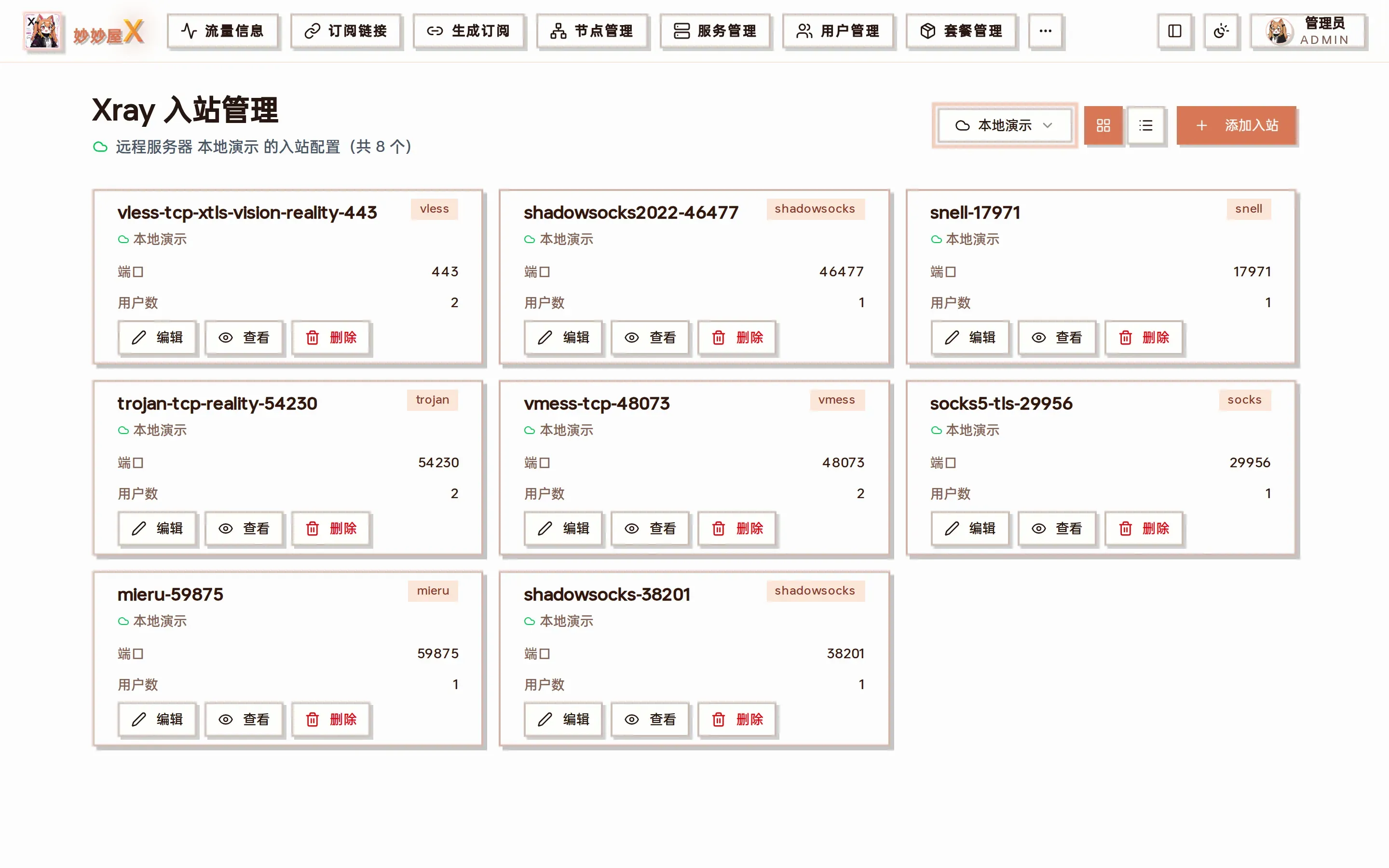
Xray Inbounds — after choosing a server, every inbound is listed with tag / protocol / port / user count, with view JSON, edit and delete
Where to find it
Section titled “Where to find it”The same inbound list is available in two places:
- Sidebar “Xray Inbounds”: the “Select server” dropdown switches servers; card / list view toggles and “Add Inbound” sit on the right
- Servers → server card “Xray Config” → “Inbounds” tab
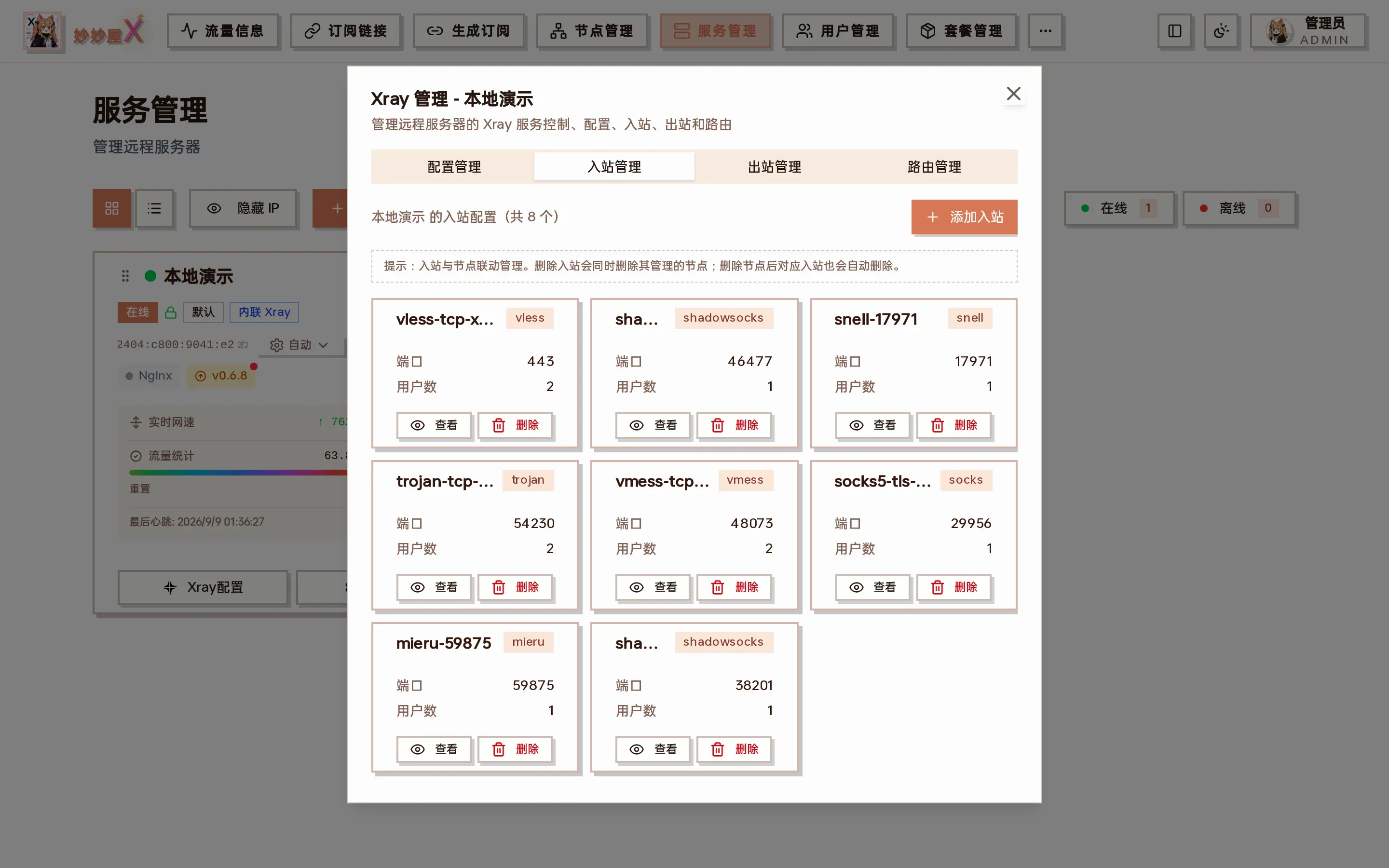
The Inbounds tab inside the server card, identical to the standalone page
Inbound wizard
Section titled “Inbound wizard”The wizard walks through protocol, transport, security and parameters and generates the complete Xray inbound. It is the same wizard as step 2 of “Nodes → Add Node”.
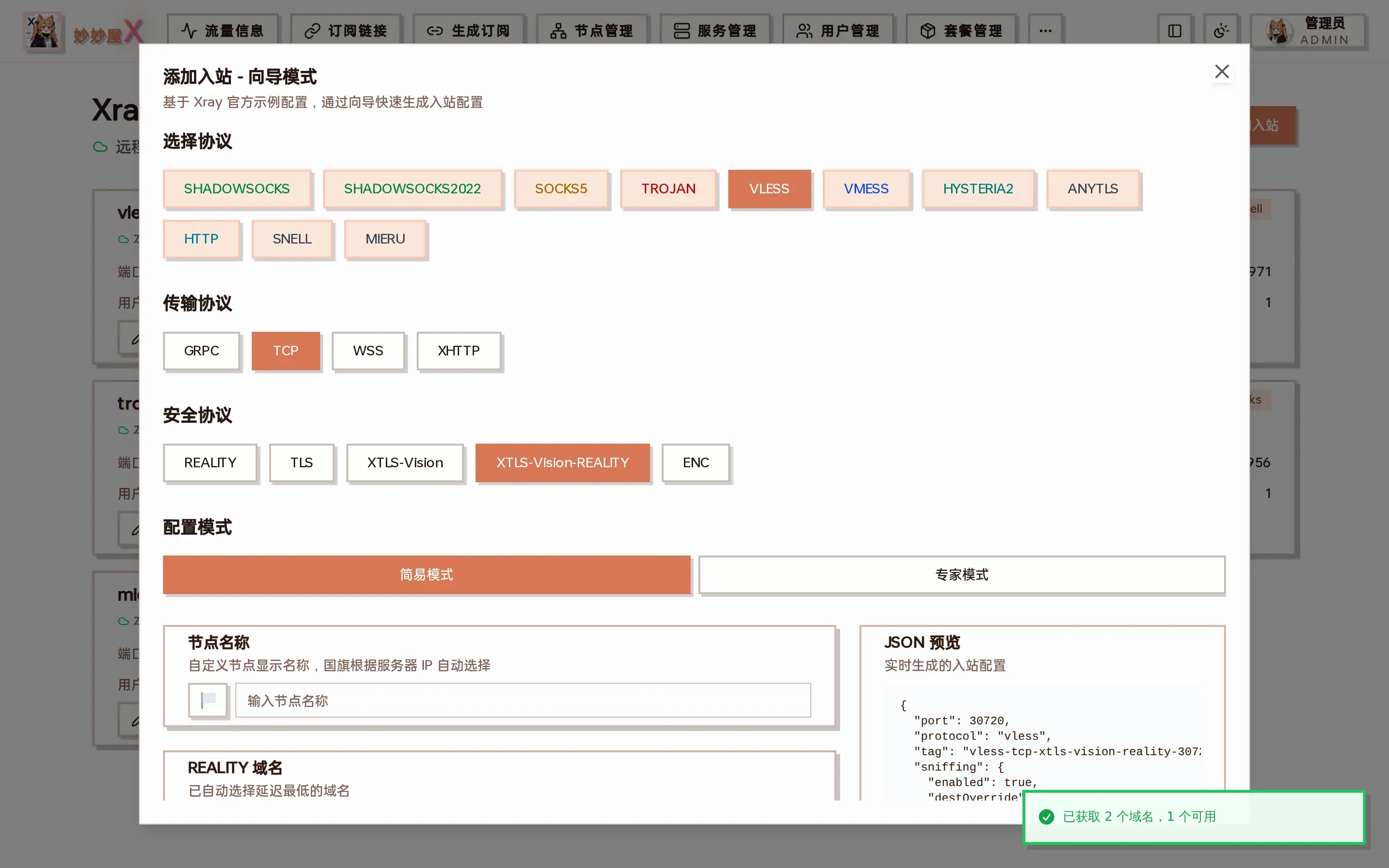
Add inbound - wizard mode: based on official Xray examples, with a live JSON preview on the right
- Protocol: Shadowsocks / Shadowsocks2022 / SOCKS5 / Trojan / VLESS / VMess / Hysteria2 / AnyTLS / HTTP / Snell / Mieru
- Transport: TCP / WebSocket / gRPC / XHTTP (depends on the protocol)
- Security: REALITY / TLS / XTLS-Vision / XTLS-Vision-REALITY / ENC / none
- Mode: simple assigns a port and generates credentials; expert exposes port, listen address, sniffing, relay …
- Node name; REALITY protocols pick or probe a target domain, optionally “Prevent REALITY theft”
- Users (UUID / password / PSK auto-generated, more can be added)
- Preview the JSON and “Submit”
Example: add a Shadowsocks 2022 inbound
Section titled “Example: add a Shadowsocks 2022 inbound”- Pick the server in “Select server” and click “Add Inbound”
- Protocol “SHADOWSOCKS2022”, everything else default (simple mode)
- Node name “HK 01 · SS2022”
- The JSON preview shows method
2022-blake3-aes-128-gcm, a random port and the generated PSK - “Submit” → the list gains
shadowsocks2022-<port>and a node of the same name appears in Nodes
Supported combinations
Section titled “Supported combinations”Protocols support different transport and security combinations. See the Protocol Matrix.
| Protocol | Transport | Security |
|---|---|---|
| VLESS | TCP, WS, gRPC, XHTTP | TLS, REALITY, XTLS-Vision |
| VMess | TCP, WS | TLS, None |
| Trojan | TCP, gRPC | TLS, REALITY |
| Shadowsocks | TCP | None |
| Hysteria2 | UDP | TLS |
| AnyTLS | TCP | TLS, REALITY |
| Snell | TCP | None (optional obfs) |
| Mieru | TCP / UDP | None |
Inbound operations
Section titled “Inbound operations”- Creating an inbound syncs a node automatically (visible in Nodes)
- Deleting an inbound deletes its node
- “View” shows the full JSON; “Edit” opens the same wizard
- Filtering: API inbounds and runtime inbounds with empty tags are hidden
Auto sync
Section titled “Auto sync”Inbound creation / deletion is synced to the node table through the event bus, converting the Xray inbound into a mihomo/Clash compatible proxy config.