
Telegram Bot (mmwX-tgbot)
TGBot and Mini App are built in
Section titled “TGBot and Mini App are built in”You no longer need to download mmwX-tgbot, deploy a systemd/Docker service, maintain a config file, or add a separate Nginx proxy. The master starts, stops, and hot-restarts the Bot, while the Mini App is served at /tg-app under the master URL.
Enable and configure
Section titled “Enable and configure”1 . Create a Telegram Bot
Section titled “1 . Create a Telegram Bot”Open @BotFather in Telegram, send /newbot, follow the prompts, and save the resulting Bot Token.
2 . Open TGBot settings
Section titled “2 . Open TGBot settings”Sign in to MiaoMiaoWu X as an administrator and open System Settings → TG Bot.
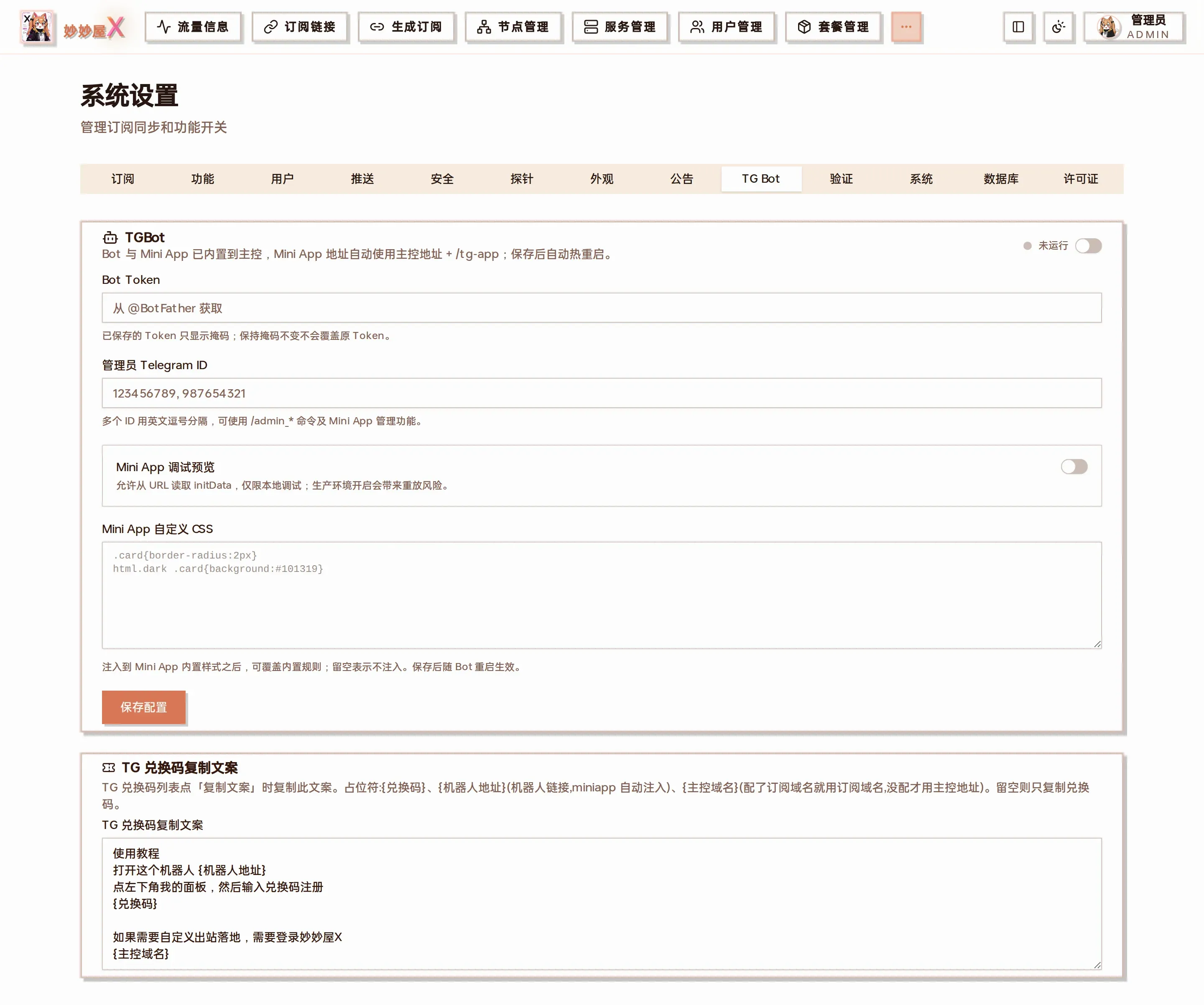
System Settings → TG Bot: enable switch, Bot Token, admin Telegram IDs, Mini App options and redeem-code copy text
3 . Enter the Bot Token
Section titled “3 . Enter the Bot Token”Paste the Token from @BotFather. A saved Token is masked; leaving the mask unchanged preserves the existing Token.
4 . Enter administrator Telegram IDs
Section titled “4 . Enter administrator Telegram IDs”Enter numeric Telegram IDs allowed to use /admin_* commands and Mini App administration. Separate multiple IDs with commas.
5 . Enable and save
Section titled “5 . Enable and save”Turn on TGBot and save. The master automatically starts or hot-restarts the Bot; a Running status confirms success.
6 . Verify the Bot and Mini App
Section titled “6 . Verify the Bot and Mini App”Send /start or /help to confirm the Bot responds, then open the Mini App from its menu. The master automatically serves it at /tg-app.
Read the complete System Settings guide →
Features
Section titled “Features”👤 User commands
Section titled “👤 User commands”/start <code>— Register / bind via redeem code/me— My account info/sub— Subscription link/traffic— Traffic stats/nodes— My nodes + online status/notify— Notification toggle (on/off/status)/unbind— Unbind TG (with confirmation)
🛡️ Admin commands
Section titled “🛡️ Admin commands”/admin_invite list— List redeem codes/admin_invite create— Generate redeem code interactively/admin_invite revoke— Revoke redeem code/admin_user <username>— Inspect a specific user
Only TG IDs in admin_tg_ids may use these. Rate-limited to 5/min.
🔔 Daily notifications
Section titled “🔔 Daily notifications”After opt-in (/notify on) the bot pushes at 20:00 daily:
- 📊 Today’s traffic summary
- ⏰ Expiry reminders (7/3/1 days left)
Mini App (login-free dashboard)
Section titled “Mini App (login-free dashboard)”The Mini App is now part of the master and automatically uses master URL + /tg-app. Telegram initData verifies users opened from the Bot menu, so they do not enter their MiaoMiaoWu X credentials again.
Binding users
Section titled “Binding users”The “Telegram” column in the Users list has a “Bind” button that generates a /start <code> command; the user sends it to the Bot to link their Telegram. Admins can also generate redeem codes in the Bot for self-registration.
Admin view
Section titled “Admin view”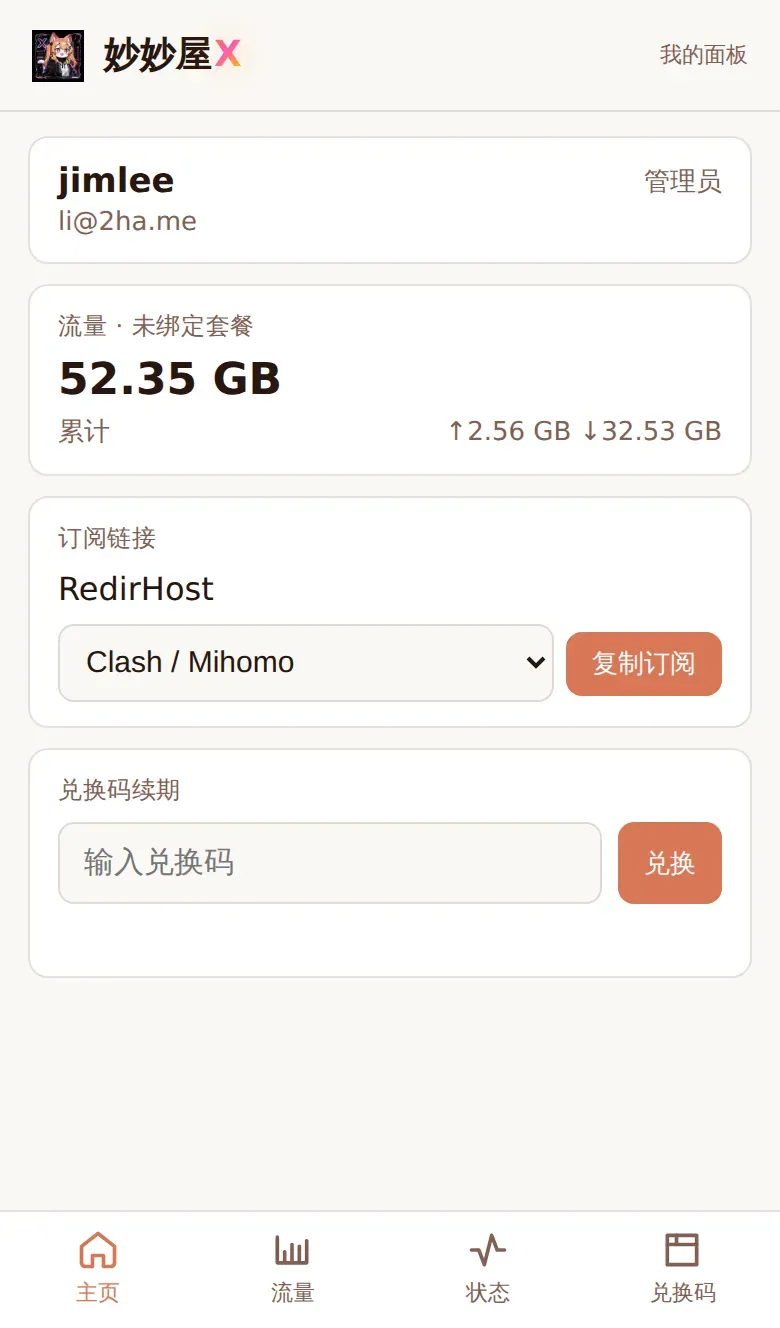
Admins see the global overview plus user / traffic / redemption-code management in the Mini App.
User view
Section titled “User view”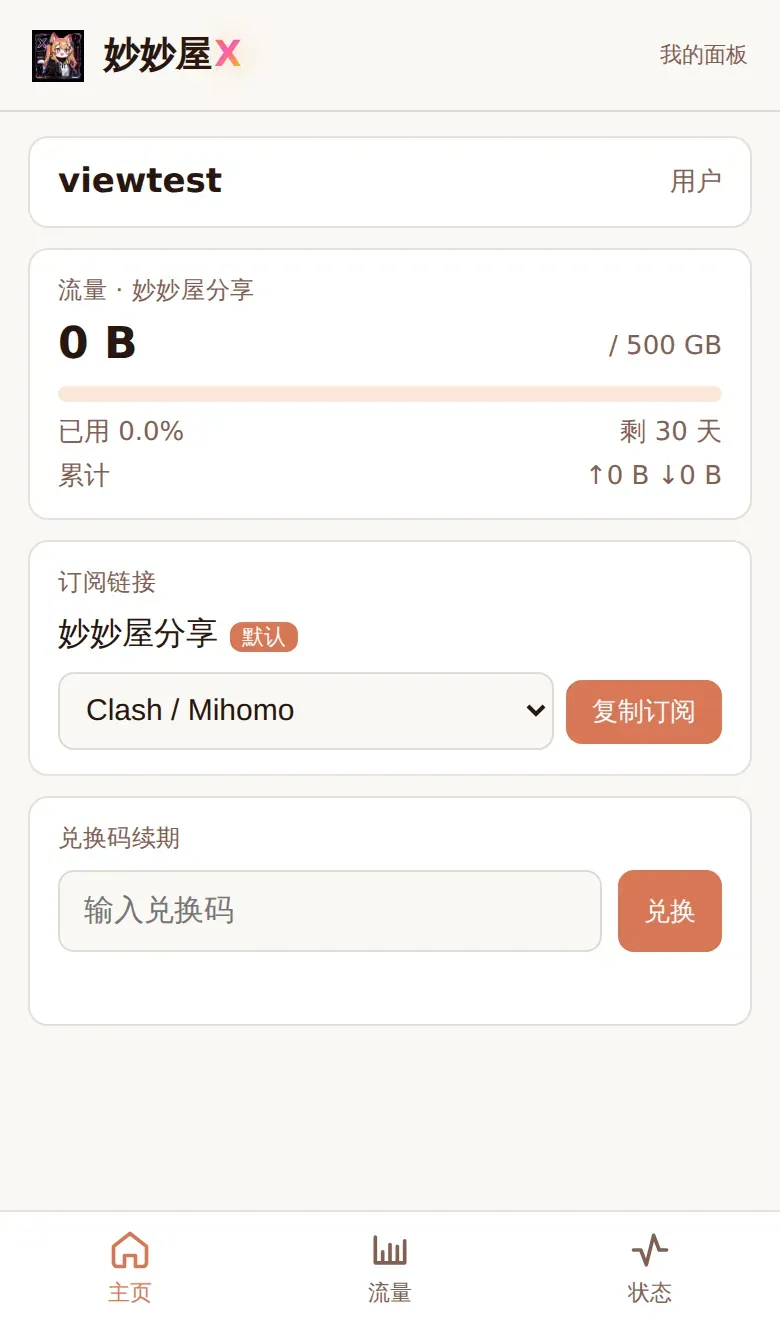
Regular users see their own plan, used traffic, subscription URL and available nodes in the Mini App.
Security notes
Section titled “Security notes”The Bot Token controls your Bot and must remain secret. Mini App development preview permits initData in a URL and is only for local debugging; keep it disabled in production to prevent replay risks.
The Bot does not respond
Section titled “The Bot does not respond”Confirm TGBot is enabled and reports Running, verify the Bot Token, and ensure the master can reach the Telegram API. Saving changes automatically restarts the Bot.
Administrator commands report no permission
Section titled “Administrator commands report no permission”Confirm your numeric Telegram ID is listed under administrator Telegram IDs. Separate multiple IDs with commas, save, and retry.
The Mini App does not open
Section titled “The Mini App does not open”Confirm the master uses a publicly reachable HTTPS domain and /tg-app is accessible. The legacy /app path, port 23088, and separate Nginx proxy are no longer needed.