
Carpool guide
Traffic metering
Section titled “Traffic metering”MiaomiaowuX does NOT use a port-based metering scheme (the way TrafficDog does). Instead, it uses Xray’s native inbound/outbound + user accounting. The same port on the same server can be shared by many users; each user’s traffic is tracked by their client.email identity. No need to allocate a separate port per user.
4 steps to carpool
Section titled “4 steps to carpool”1. Server Management — add a server
Section titled “1. Server Management — add a server”Add a server in Server Management with name, IP, domain. The master generates a pairing token; deploy the Agent on the target machine. See the Install Agent doc for full flow.
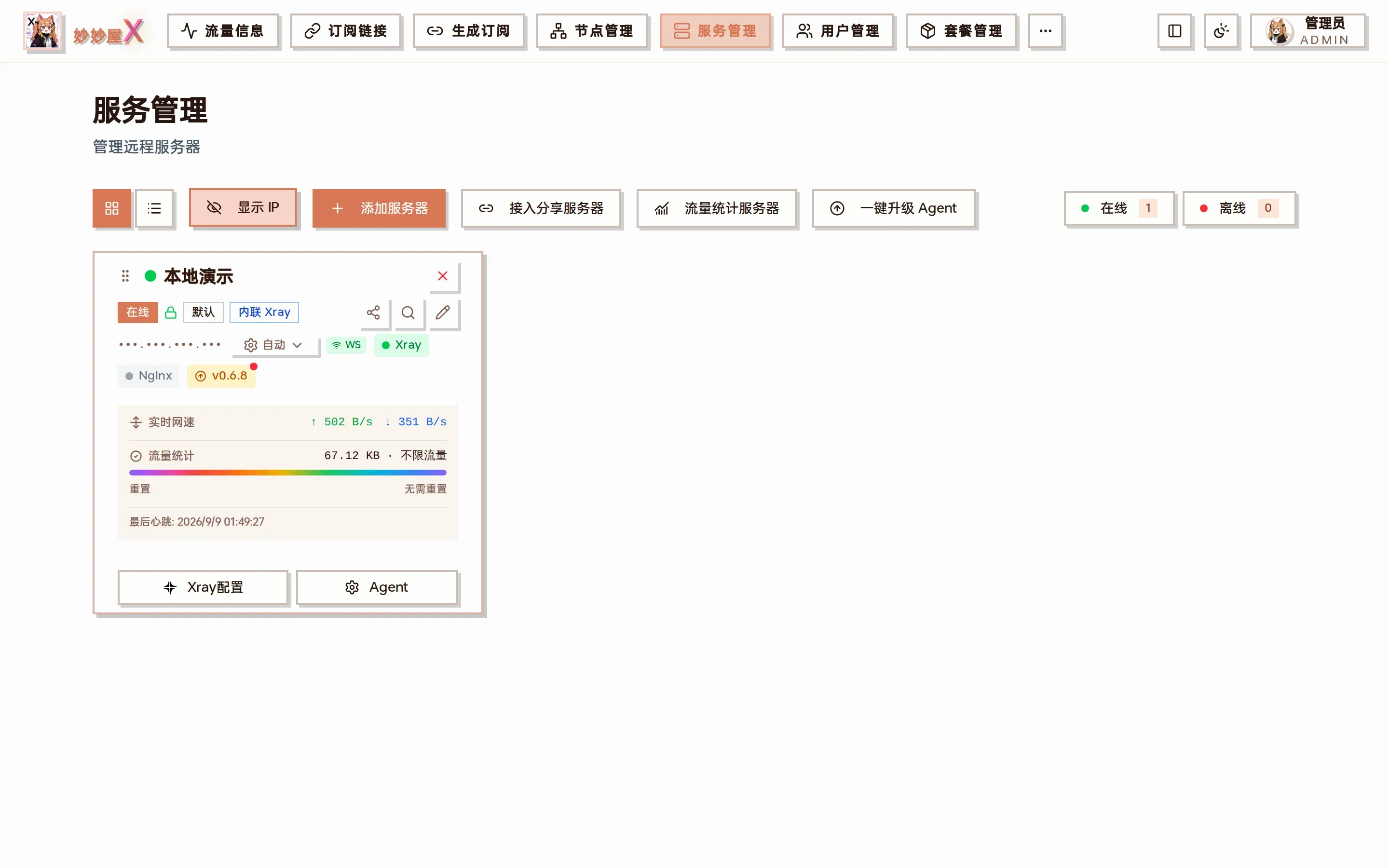
Server Management — cards show status / live speed / traffic / Xray actions
2. Node Management — add nodes
Section titled “2. Node Management — add nodes”Nodes can be auto-synced from server inbounds (recommended) or added manually. A single server can host multiple protocols (VLESS / Trojan / Shadowsocks / Hysteria2 / AnyTLS, etc.); all of them can carpool the same set of users.
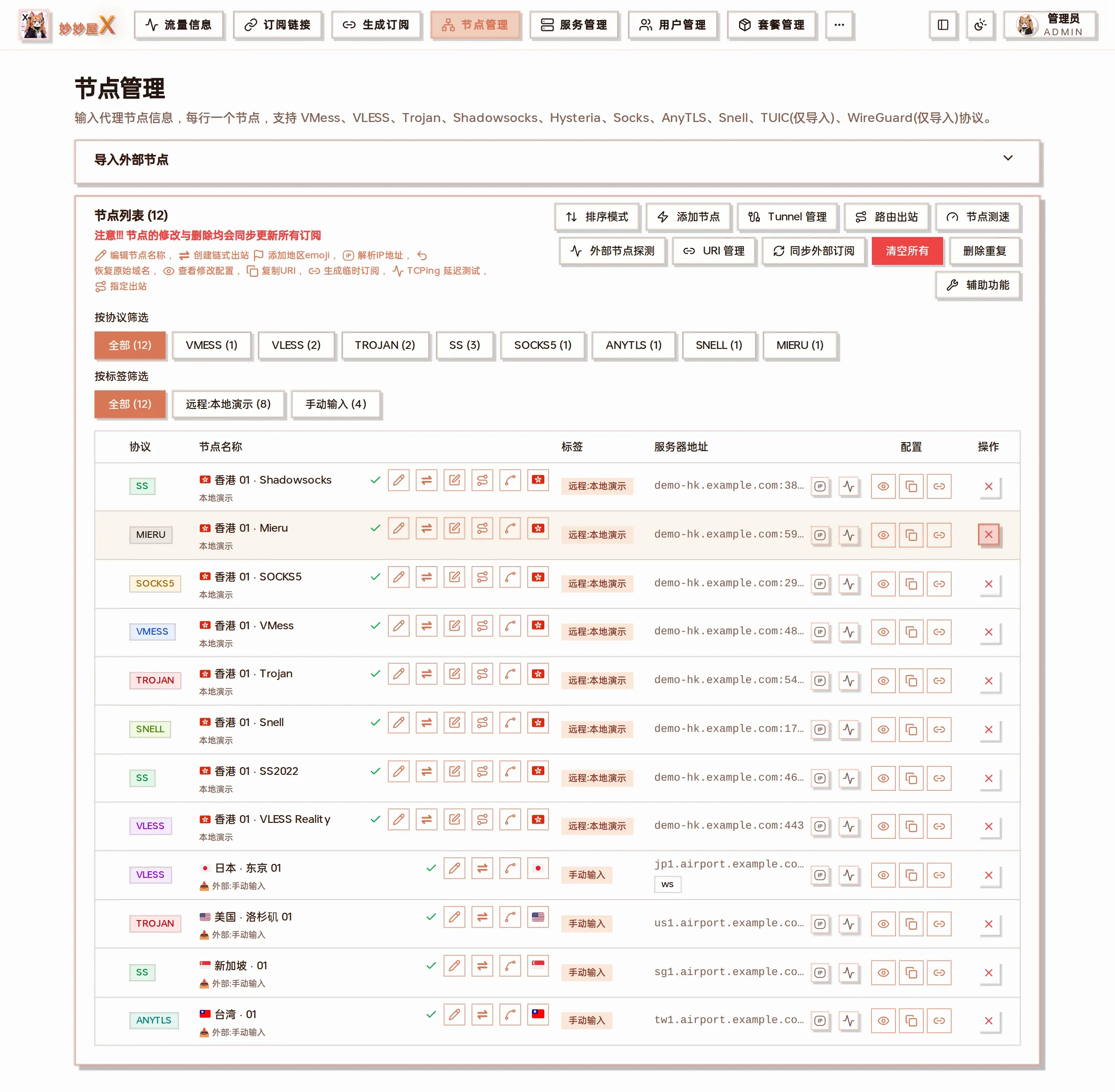
Node Management — inbound nodes grouped by server, batch edit / toggle / sync
3. Package Management — create package, pick nodes
Section titled “3. Package Management — create package, pick nodes”In Package Management, create a package with quota / cycle / metering mode (one-way / two-way), and tick the nodes this package can access on the right (unticked = all). A package is a permission group — carpool members share the same package.
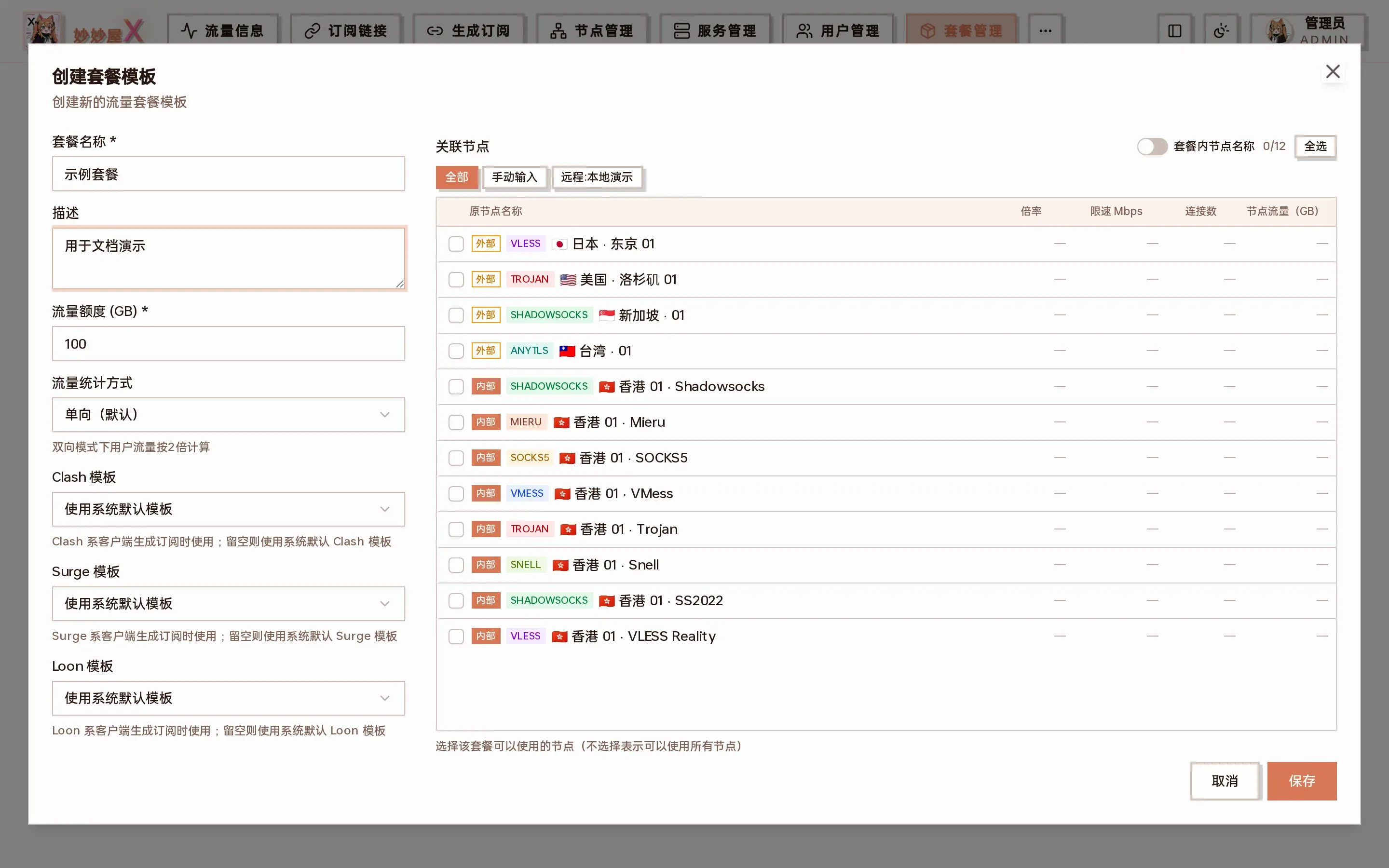
Create package dialog — params on the left, associated nodes on the right
4. User Management — add users, bind package
Section titled “4. User Management — add users, bind package”Add users in User Management, then click Manage Package on a user’s row to bind the package from step 3 with an expiration date. Repeat for each carpool member.
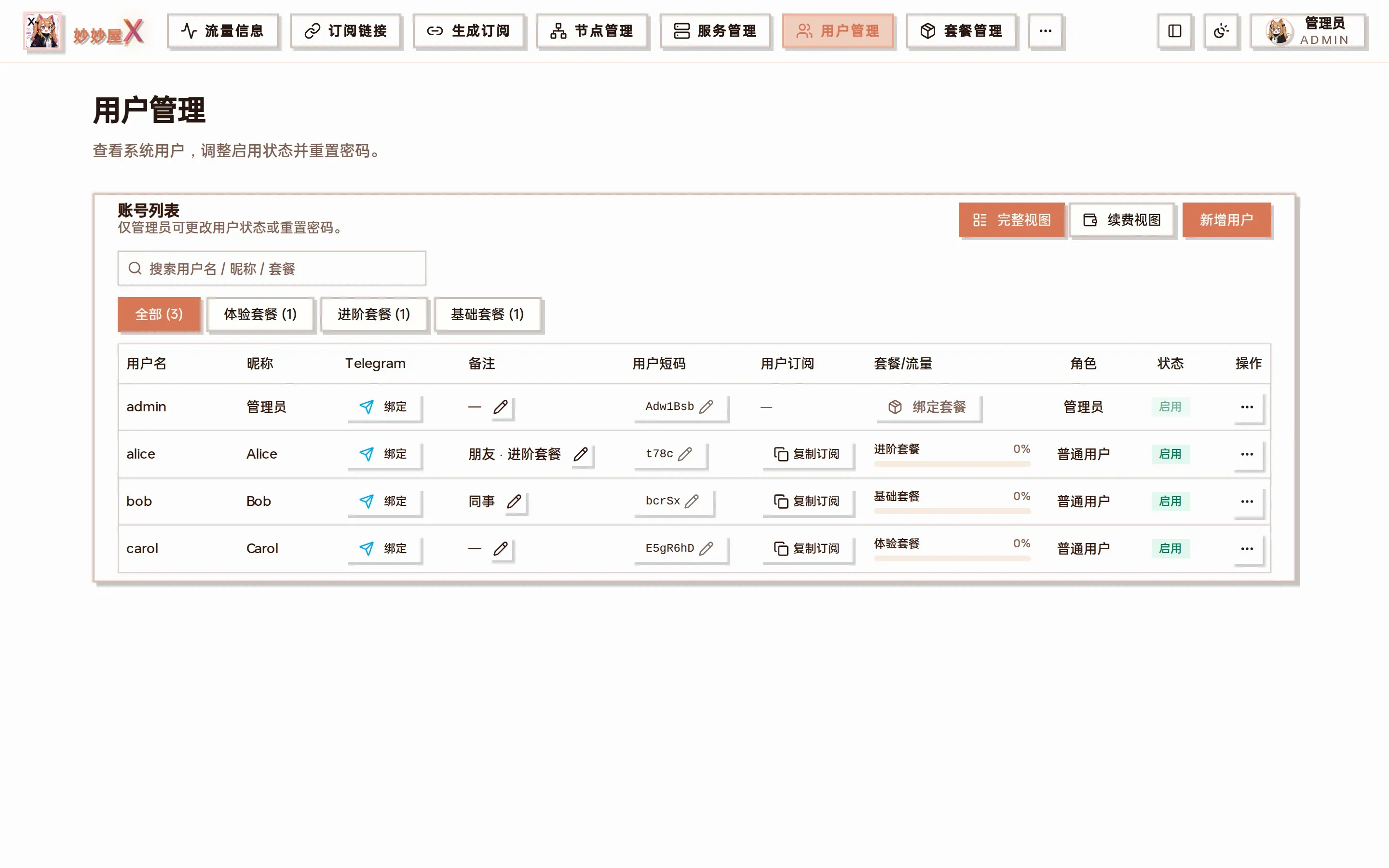
User Management — list of all users and their package status
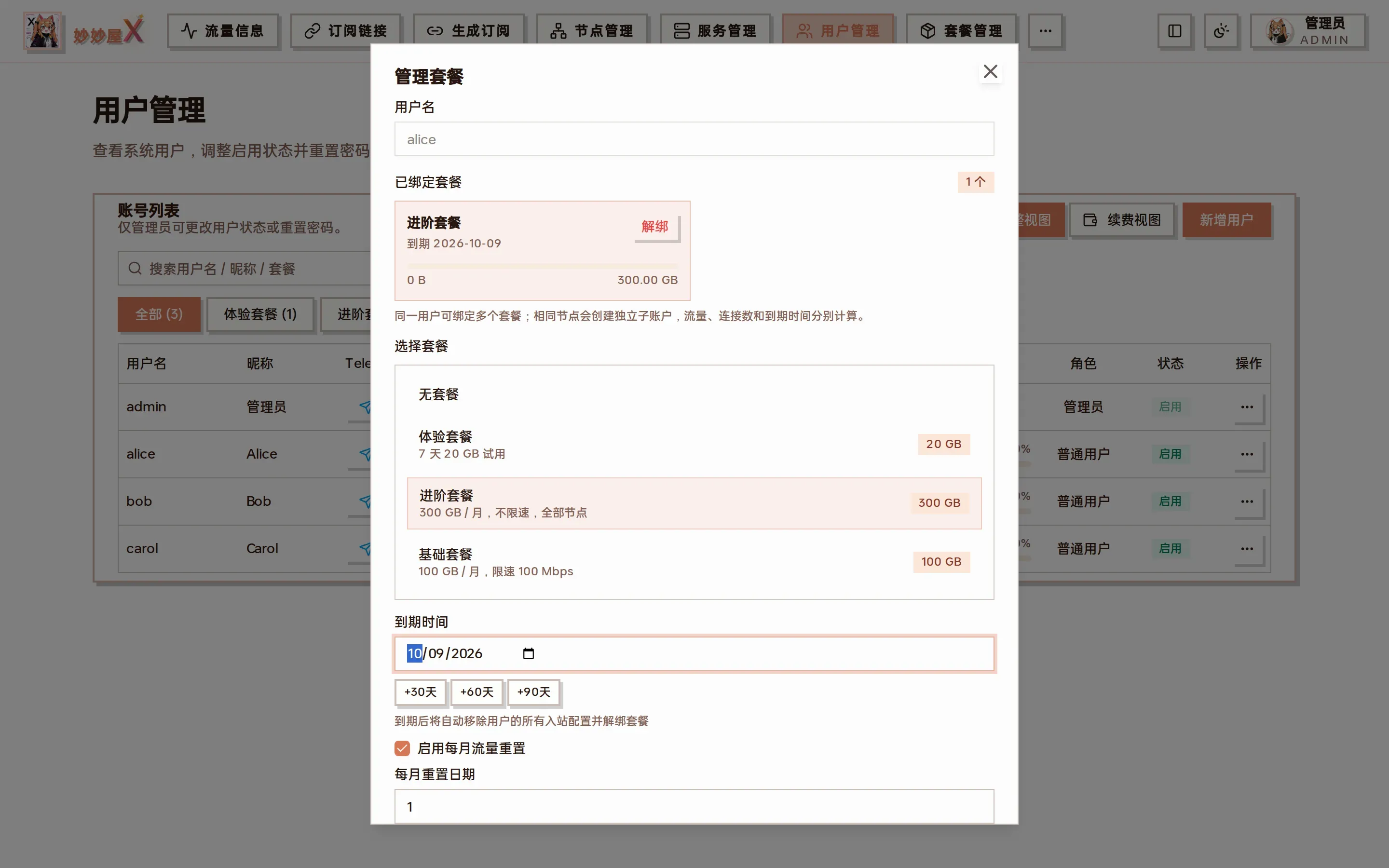
Manage package dialog — pick package + expiration + reset cycle
Tip: each user’s credentials (uuid, password, etc.) are unique and are injected into the node config by MiaomiaowuX when the user fetches their subscription. So sharing a single node with multiple users requires zero manual work — finish the 4 steps above, and every user’s subscription gets their own credential automatically; traffic is metered per username.
For giving different people different package combinations, and what happens on over-quota, reset, renewal and leaving, see Carpool walkthrough: several packages, several users.
TG Bot & Mini App
Section titled “TG Bot & Mini App”With mmwX-tgbot connected to Telegram, carpool members can check account / traffic / subscription right inside Telegram, and admins can issue redeem codes and bind users from there. The Mini App provides a login-free mobile dashboard, lighter than the web console.
Full deployment + setup guide: Telegram Bot
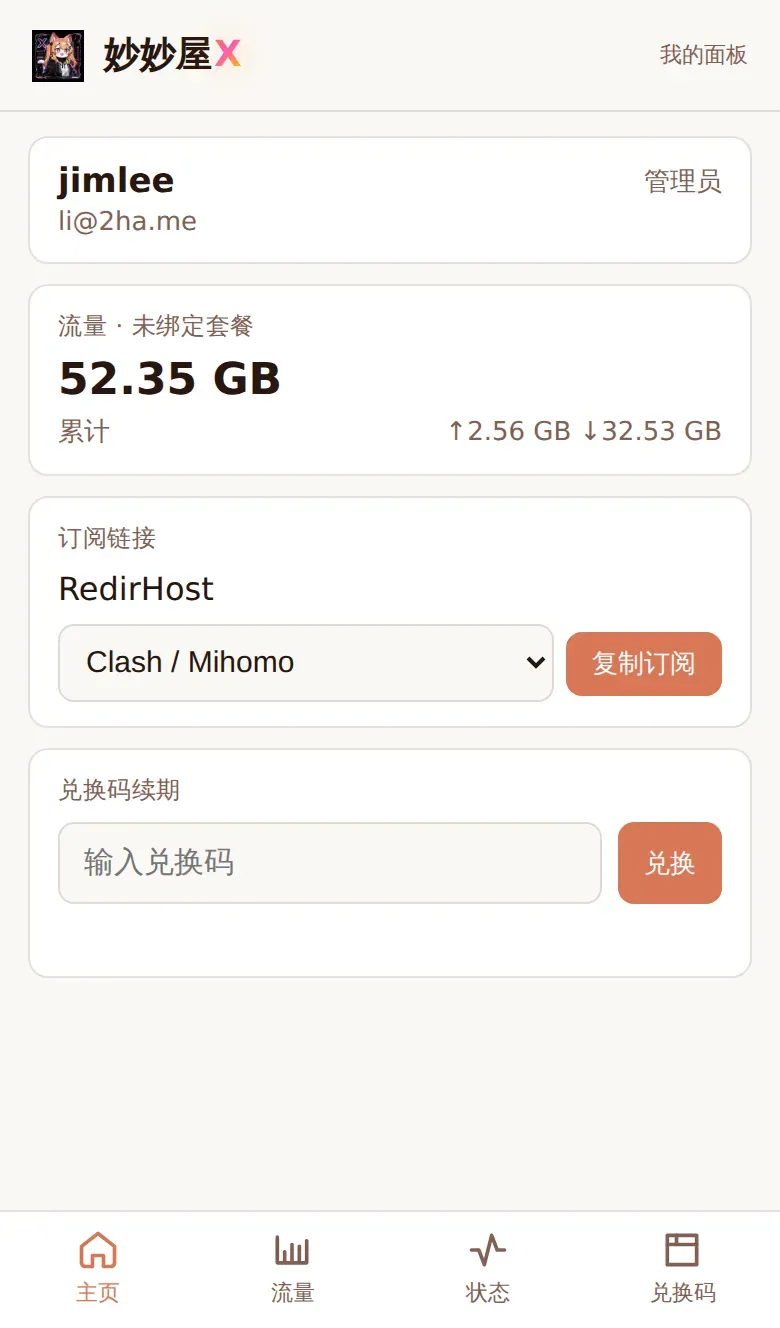
Admin view: redeem codes / user binding / traffic summary (mobile)
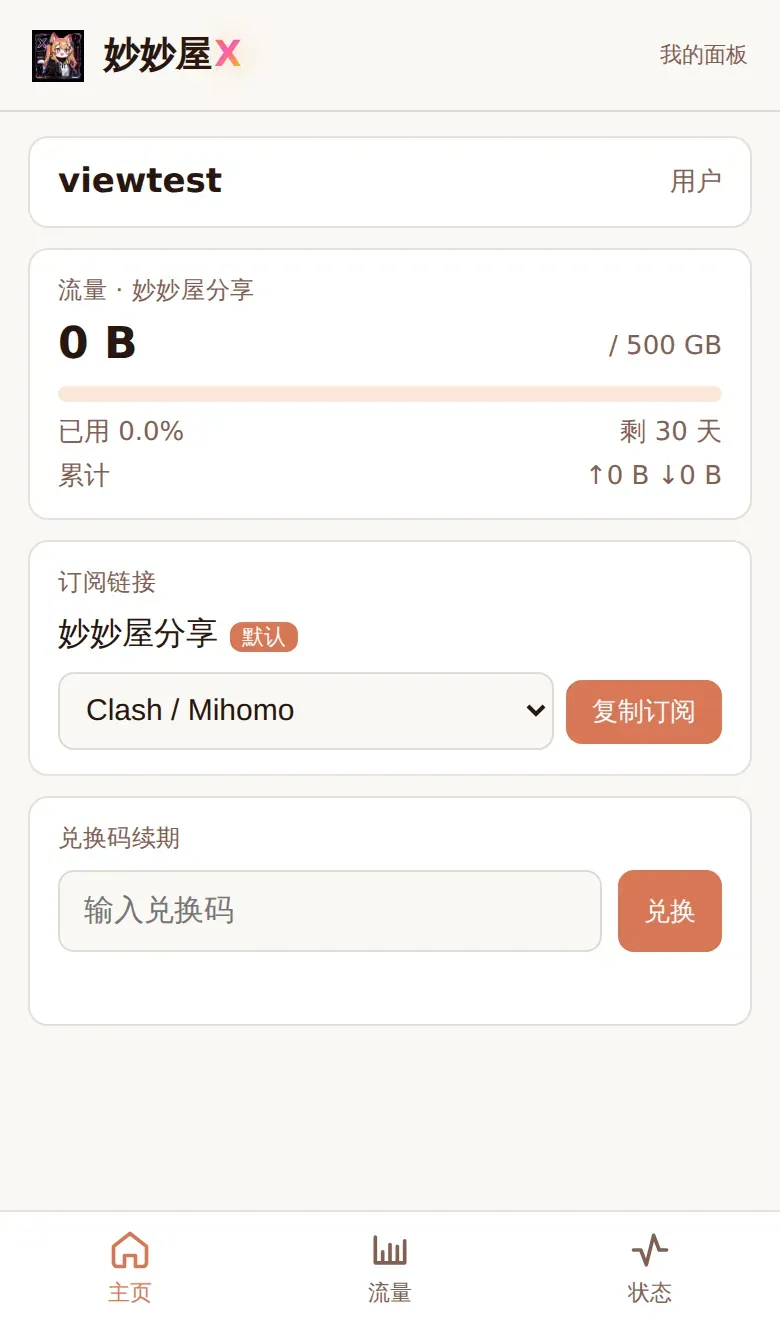
Regular user view: account / traffic / subscription (mobile)
OpenClaw & Hermes (MCP)
Section titled “OpenClaw & Hermes (MCP)”MiaomiaowuX has a built-in MCP (Model Context Protocol) server. Any MCP-compatible AI Agent — OpenClaw, Hermes Agent, Claude Code, Cursor, etc. — can connect and let you operate nodes / subscriptions / traffic / servers / users / packages in natural language. For example, tell the agent “create a 100GB package for alice and bind it” and steps 3 & 4 finish automatically.
Setup + tool list + security tips: AI Agent (MCP)
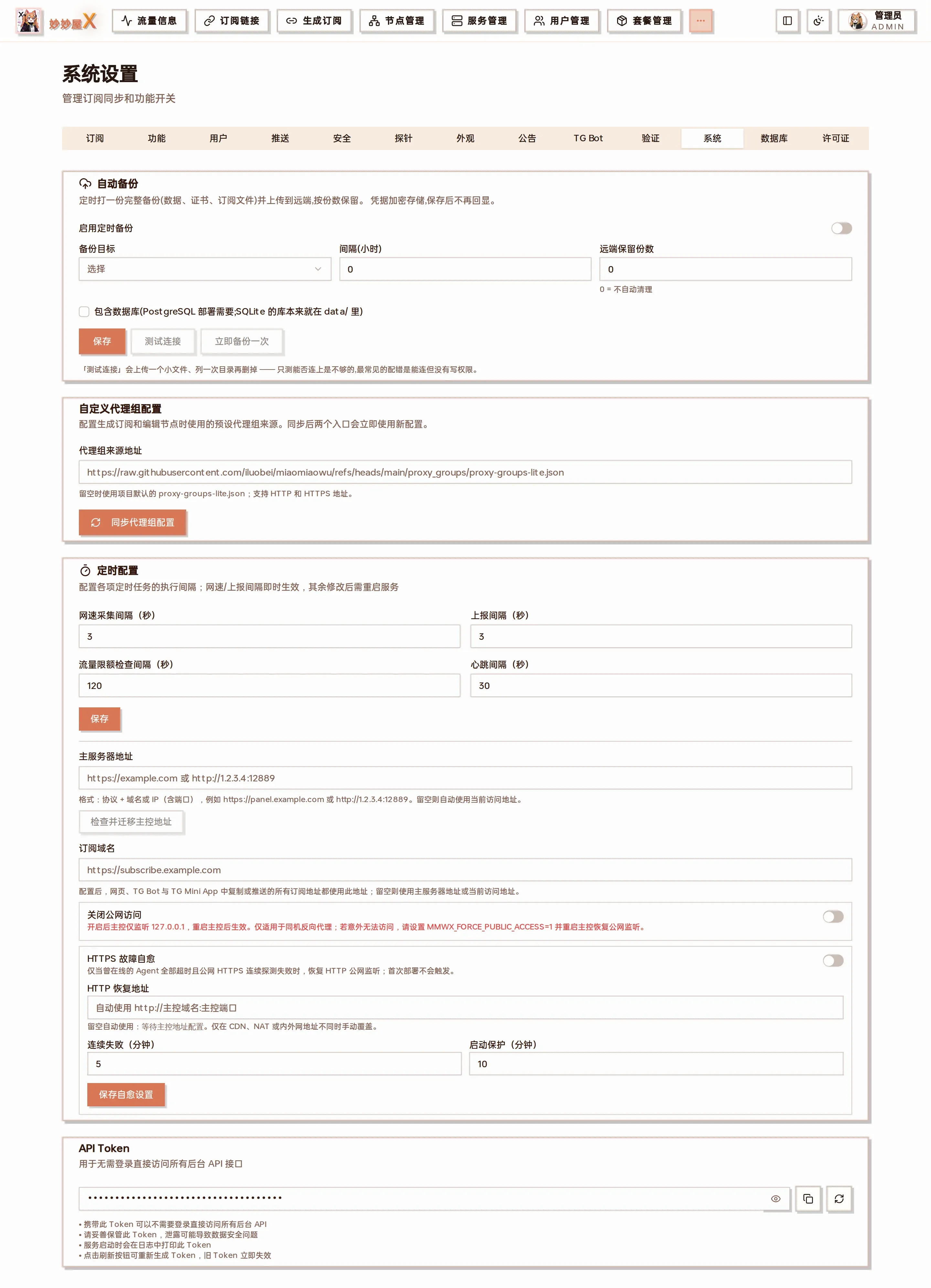
System Settings → API Token: paste this token into the mcp_servers config of OpenClaw / Hermes