
System Settings
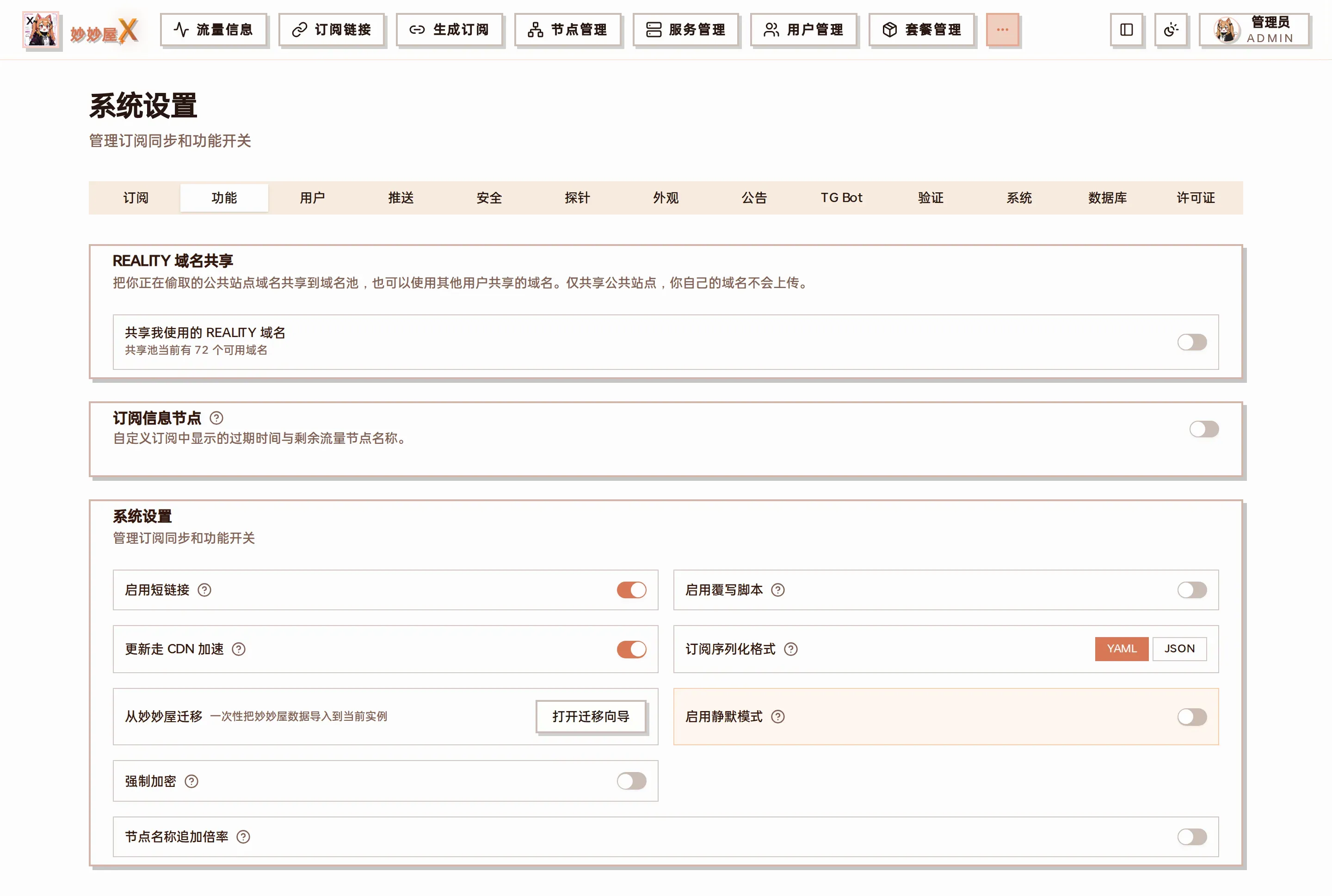
System Settings — 13 tabs at the top (Subscription / Features / Users / Notifications / Security / Probe / Appearance / Announcements / TG Bot / Captcha / System / Database / License); shown here: “Features”
Try it: System Settings
Section titled “Try it: System Settings”Local mock of the master /system-settings page — 8 Cards stacked, every toggle/input/radio is clickable, the Save button simulates persistence; all local state, no network calls.
Pull per-user traffic from remote servers; off = accounted locally only.
Typically used to strip announcement nodes like 'Remaining X GB' / 'site example.com' / 'Expires yyyy-mm-dd'.
Add used/remaining quota + expiry to the HTTP response header when serving subscriptions, so clients can display them.
Pull external subs even if the cache is still warm. Mostly for troubleshooting.
Which fields define «the same node» during sync. Default is protocol+server+port (most reliable).
Even if upstream renames a node, names you edited locally are preserved.
How long the master caches external subscriptions. Shorter = more real-time, longer = lighter load.
Distribute subscription URLs as /x/{code} so the user's token isn't exposed.
Run user-provided JS/Lua scripts as the last stage of subscription rendering.
Also support the older mmw API shape and fields — helps migrating users.
Make legacy mmw two-segment short links work on mmwx so clients do not have to switch.
Tag nodes whose multiplier ≠ 1 in subscription output, e.g. [×2] HK Node.
Consecutive failures past this trigger a lockout. Lower = stricter.
How long the account is locked once it trips the limit.
How long a session credential lasts; expires → re-login. Default 168 (7 days).
When on, admins must configure TOTP before they can finish login.
When on, the login page mounts the Turnstile widget; off = no CAPTCHA.
Get from Cloudflare Dashboard → Turnstile. Public key, safe to expose.
Secret key — the master uses it to verify tokens against CF. Keep private.
When to zero users whose reset_day matures. Default: 00:00 on the 1st of each month.
Clear expired sessions, logs, subscription cache. Default: 03:00 daily.
Actively poll agents for node status. Default: every 30 minutes.
Prefix for subscription links and entry point for the Telegram Mini App. Use HTTPS and make sure every user can reach it.
Treat as a password — anyone with this token is admin. 👁 to reveal, 📋 to copy.
Apply at mmwxlicense.com with your machine ID, paste the key here, then click Activate.
- Node speed test — mihomo real latency + throughput
- Node rate limit — per-node Mbps caps for upload/download
- Server sharing — expose nodes to other mmwx instances
- Embedded Xray — Agent embeds xray-core, no standalone binary
Overview
Section titled “Overview”System Settings is organized into 11 tabs covering subscriptions, features, notifications, security, probe, appearance, announcements, TGBot, verification, system, and license. Most settings hot-update after saving; a few listener settings, such as blocking public access, require a master restart.
System settings are visible only to admins. Regular users cannot access this page.
Current Settings Overview
Section titled “Current Settings Overview”This overview follows the current /system-settings implementation in the MiaoMiaoWu X main project. Mobile uses a selector; desktop uses tabs.
| Tab | Main capabilities | Activation |
|---|---|---|
| Subscriptions | External traffic sync, node-name regex filtering, forced refresh, matching rules, sync scope, name preservation, and cache lifetime. | Effective after saving |
| Features | Short links, override scripts, update CDN, Clash output, legacy compatibility, silent mode, mandatory Agent encryption, default templates, and multiplier prefixes. | Effective after saving |
| Notifications | Telegram notifications, test messages, and independent events for login, subscription fetches, server status, daily traffic, and threshold alerts. | Effective after saving |
| Security | Login rate limiting, brute-force protection, and subscription request limits. Fields auto-save on blur and hot-update the limiters. The client IP allowlist lives here too. | Effective after saving |
| Probe | Disguise the site as a public monitor; configure title, logo, hidden login, visible servers, and Agent CPU, memory, disk, and Ping collection. | Effective after saving |
| Appearance | Set the default theme, login wallpaper, custom branding, and custom CSS. A user’s theme takes priority; custom branding and custom CSS require the matching PRO feature. | Effective after saving |
| Announcements | Configure blocked/recovered node, maintenance, subscription update, and general templates; select Bot/Mini App channels and probes, or publish immediately. | Effective after saving |
| TGBot | Enable the built-in Bot and Mini App, configure the Bot Token and administrator Telegram IDs, and control the development-only preview. Saving hot-restarts the Bot. | Effective after saving |
| Verification | Configure and test Cloudflare Turnstile Site Key and Secret Key. Login verification is enabled only when both keys are configured. | Effective after saving |
| System | Sync custom proxy groups, tune scheduled tasks, set the master URL / subscription URL / Agent connection address (see Domains) and listener scope, configure TG redemption copy, and view or regenerate the API Token. | Some settings require restart |
| License | Review license status, plan, expiry, and server/node/user quotas; update the key and verify PRO feature availability. | Effective after saving |
Block Public Access makes the master listen only on 127.0.0.1 and requires a restart. It only suits a reverse proxy on the same host; Docker port mapping, cross-server proxying, and direct IP:port access will stop working. Regenerating the API Token invalidates the old token immediately.
Tab overview
Section titled “Tab overview”Screenshots and purpose of every tab in order; key settings are explained in detail further down.
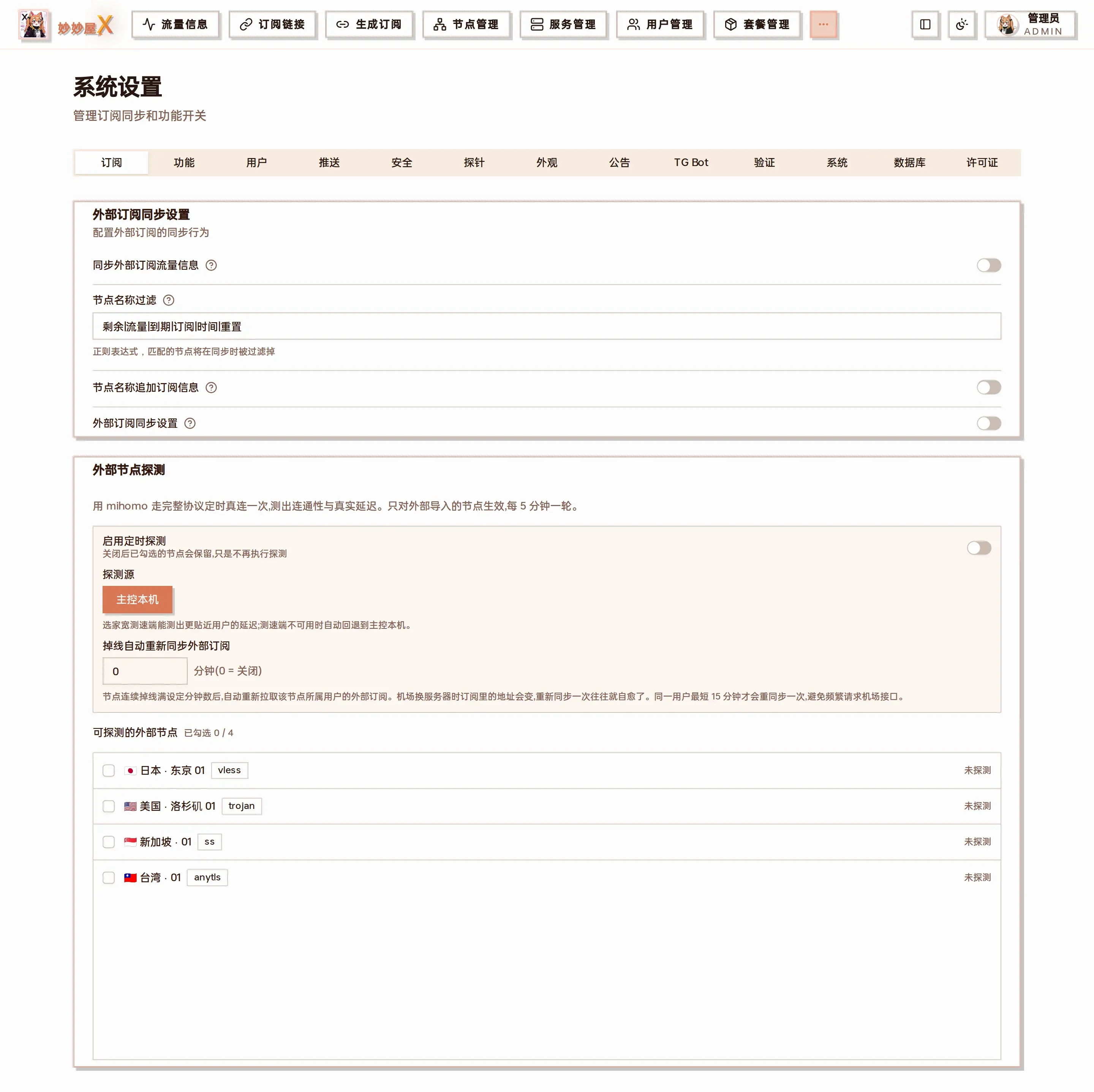
Subscription: external subscription sync (traffic info, node-name filter / append), external node probe, auto re-sync when nodes go offline
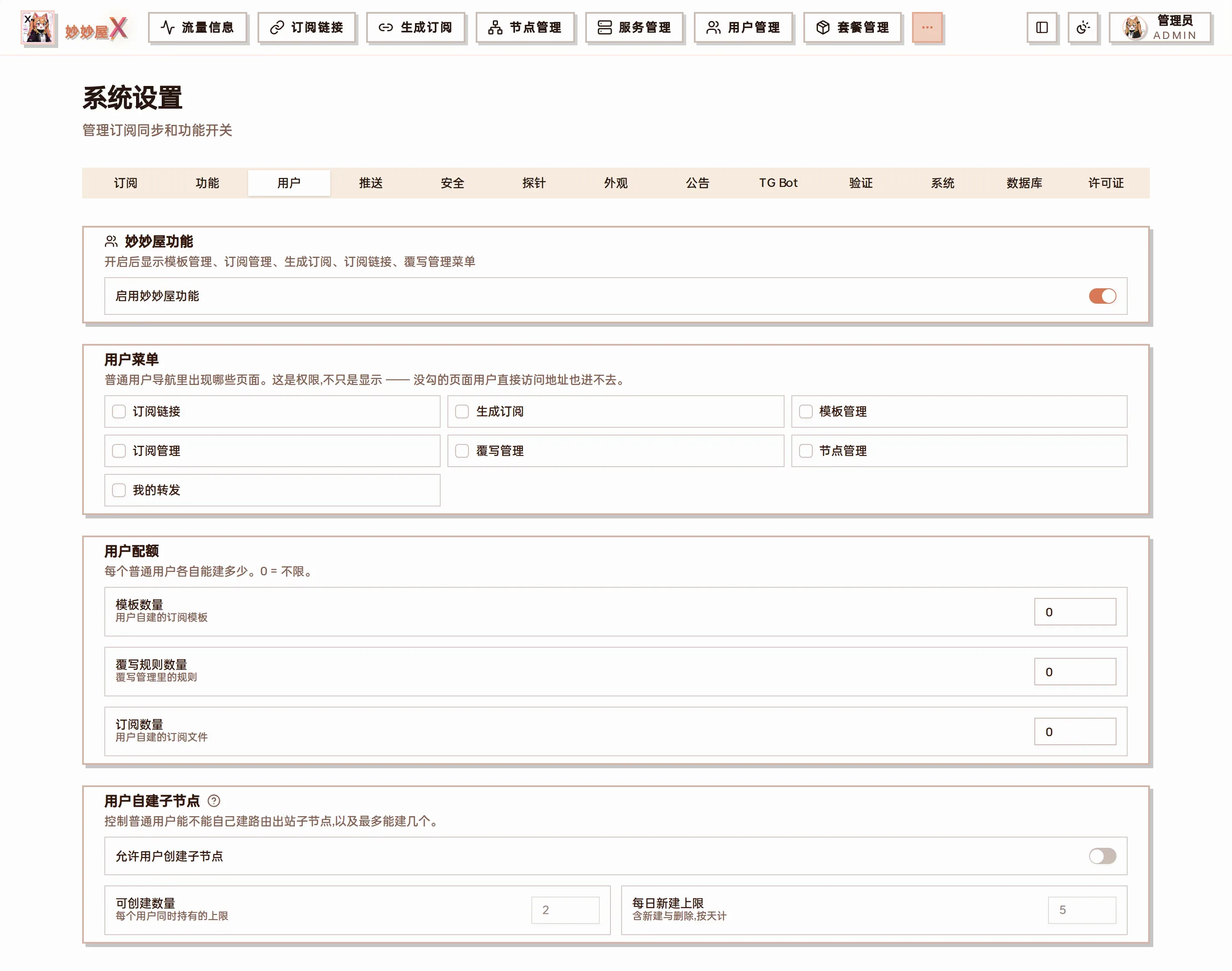
Users: MiaoMiaoWu features (probe / generator menus), user menu items, user quotas (e.g. allow users to create routed outbounds, count and daily limit), user-created child nodes
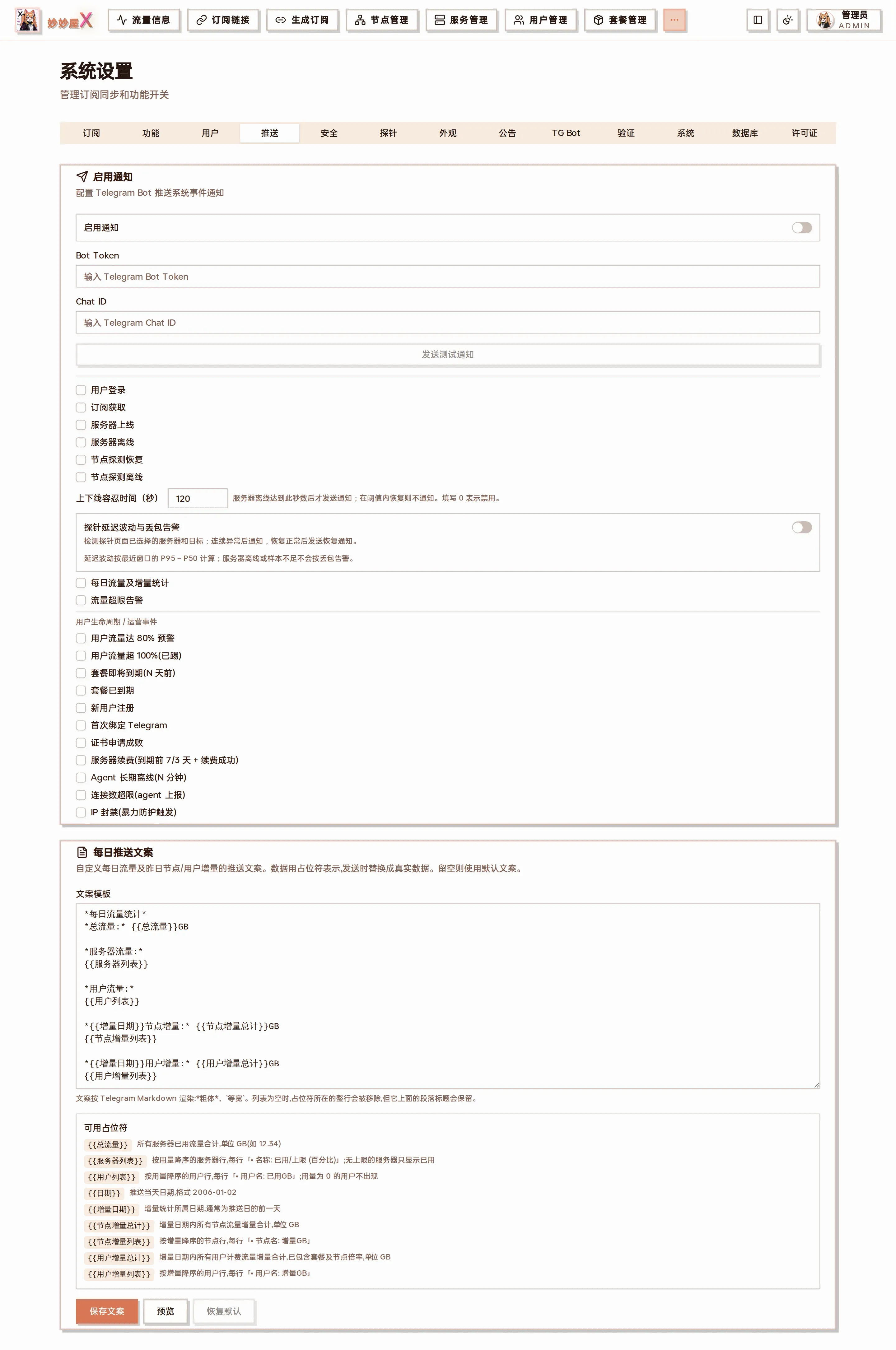
Notifications: enable push, Telegram Bot Token / Chat ID, per-event switches, daily message text
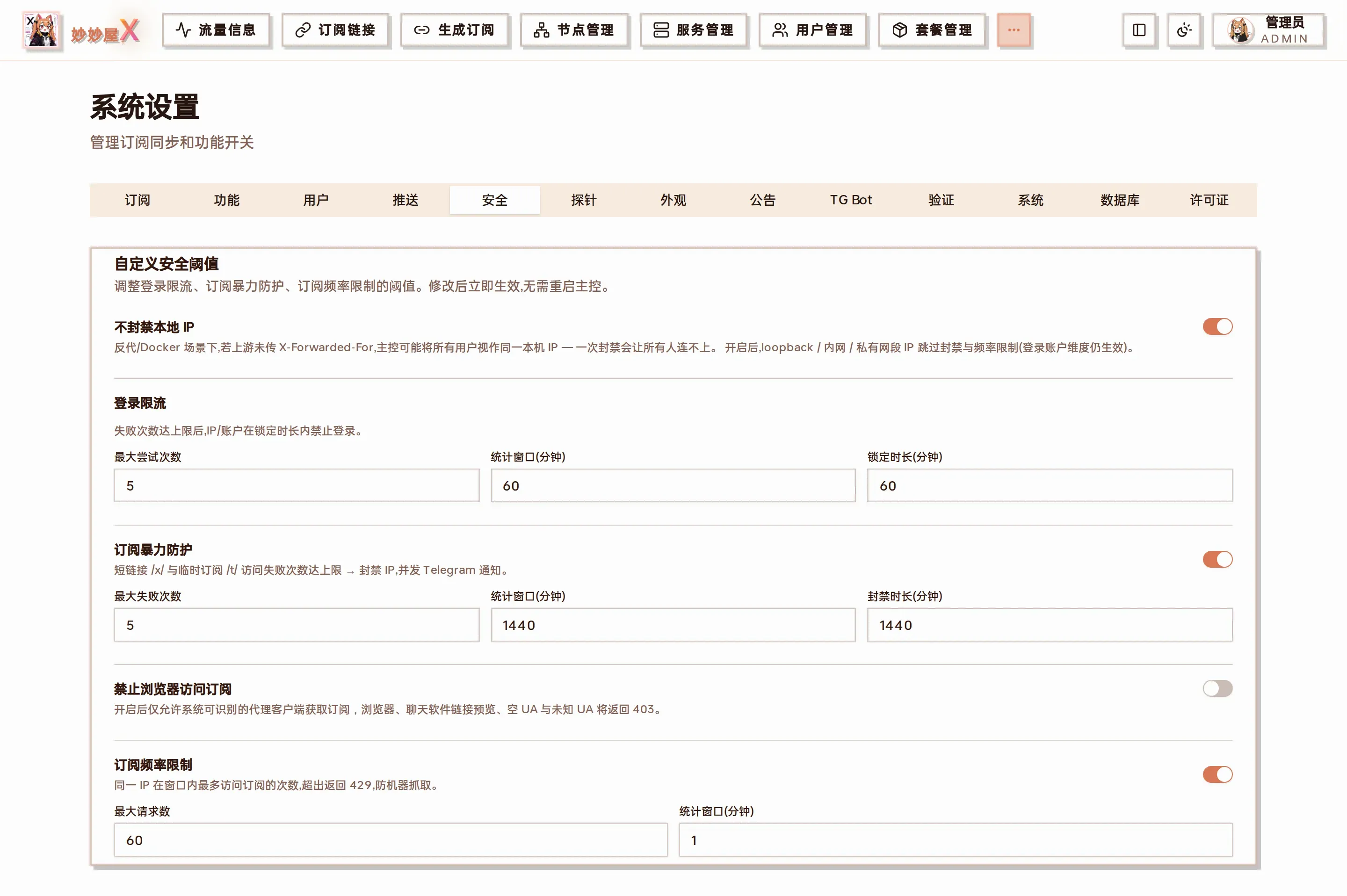
Security: login rate limit, brute-force protection, subscription request frequency and other thresholds, auto-saved on blur; client IP allowlist and po0 server config
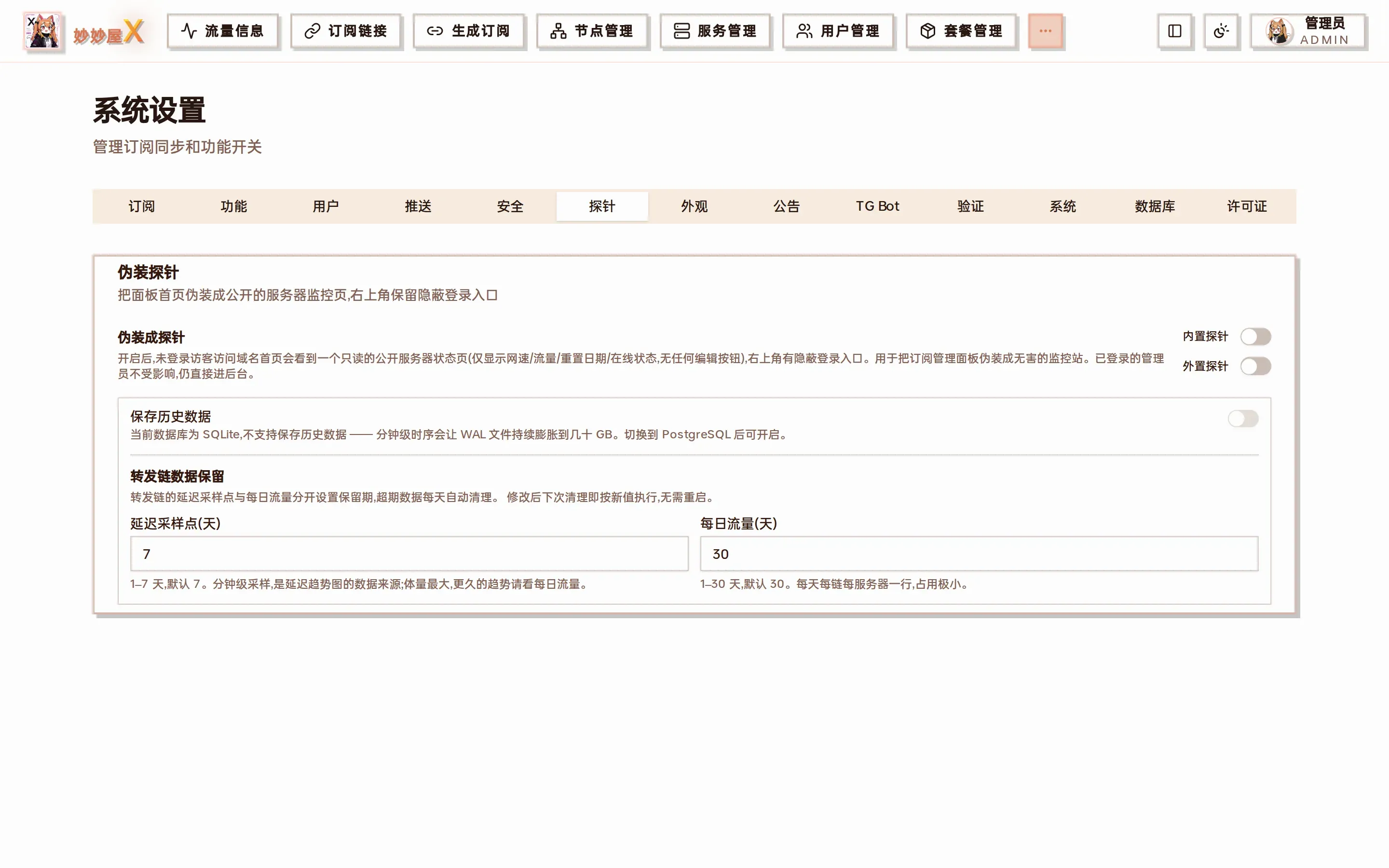
Probe: disguise the site as a public monitor page, configure title / logo / hidden login / shown servers and collected metrics, API fields in Probe API
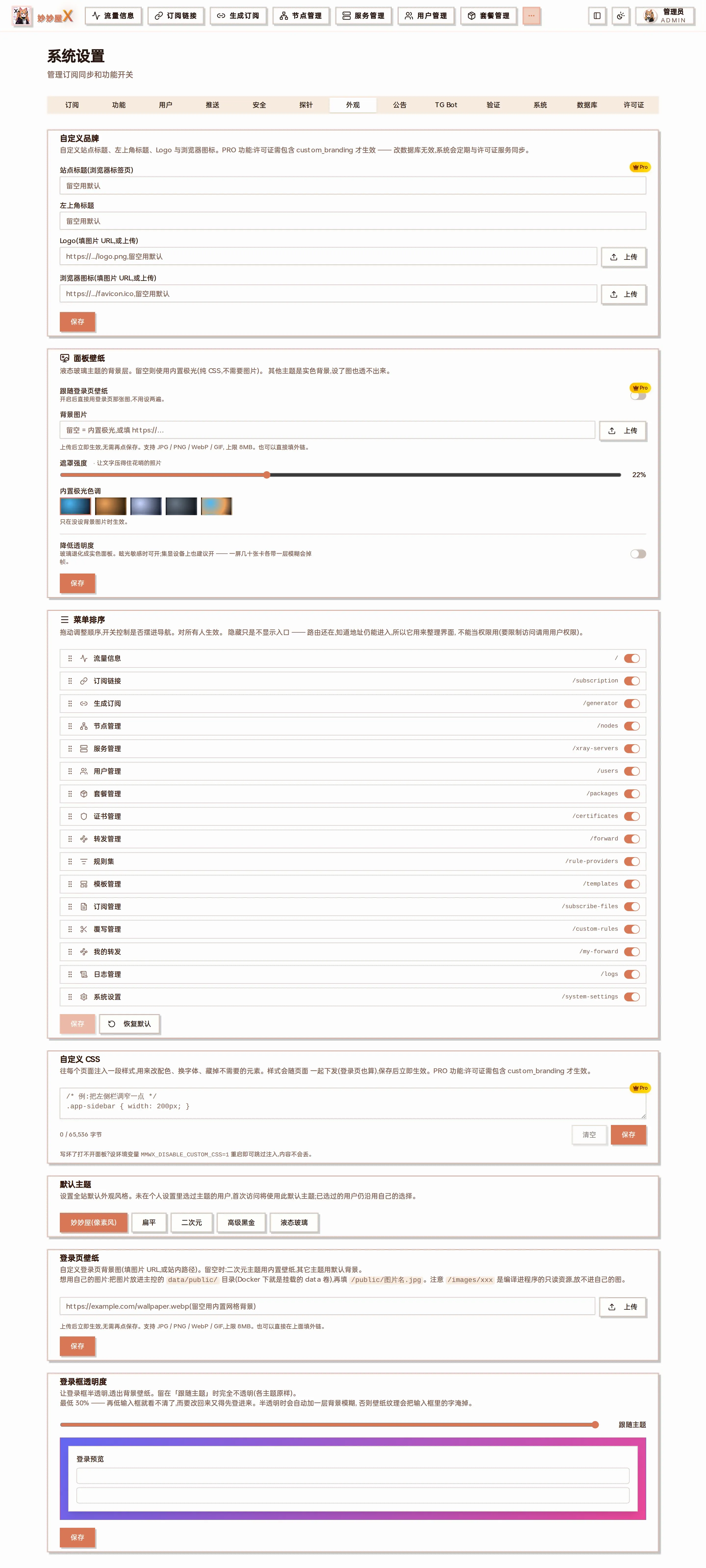
Appearance: custom branding (PRO), panel wallpaper, menu order, custom CSS, default theme, login wallpaper and login box opacity
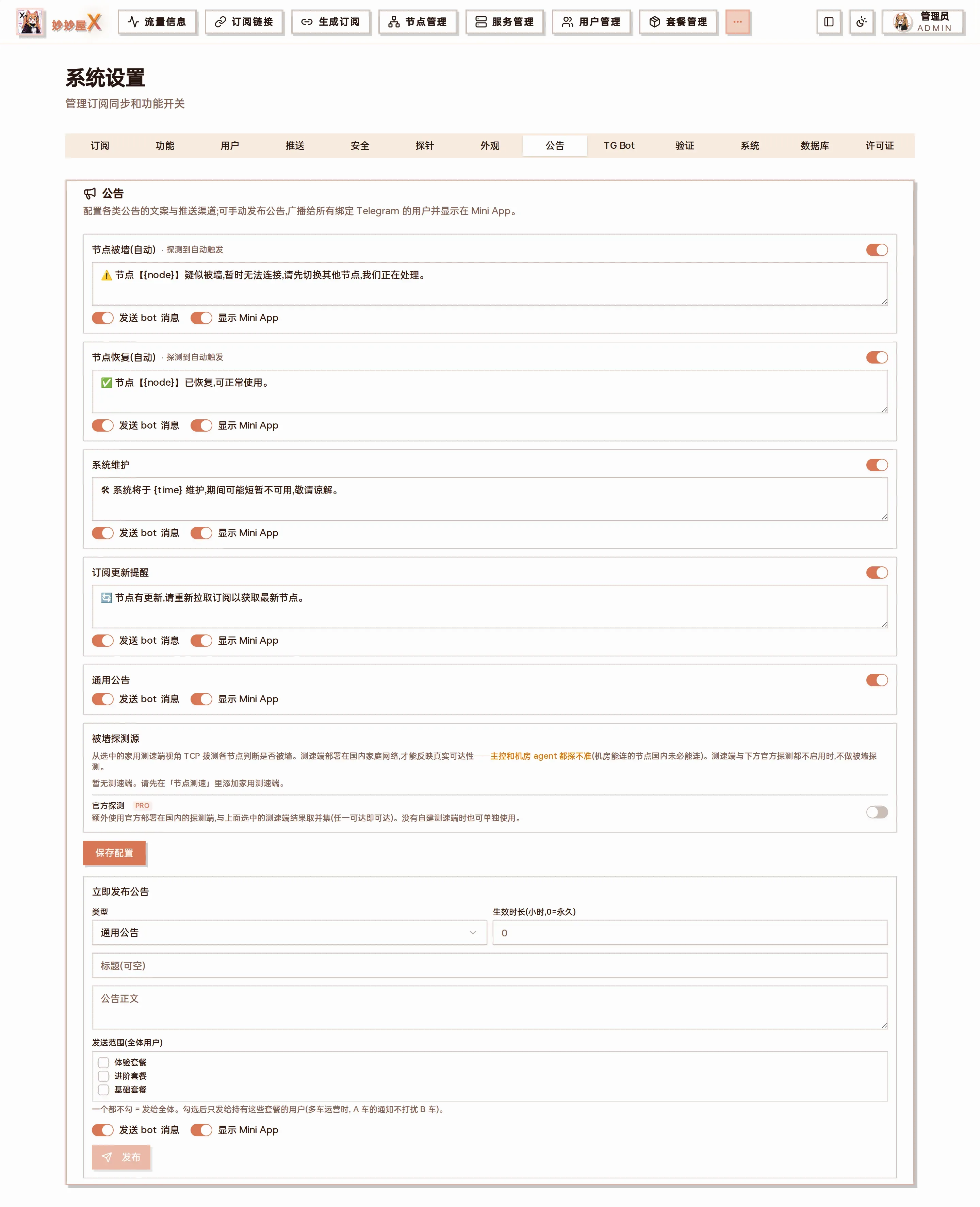
Announcements: templates for node blocked / recovered / maintenance / subscription update, choose Bot / Mini App channels and publish
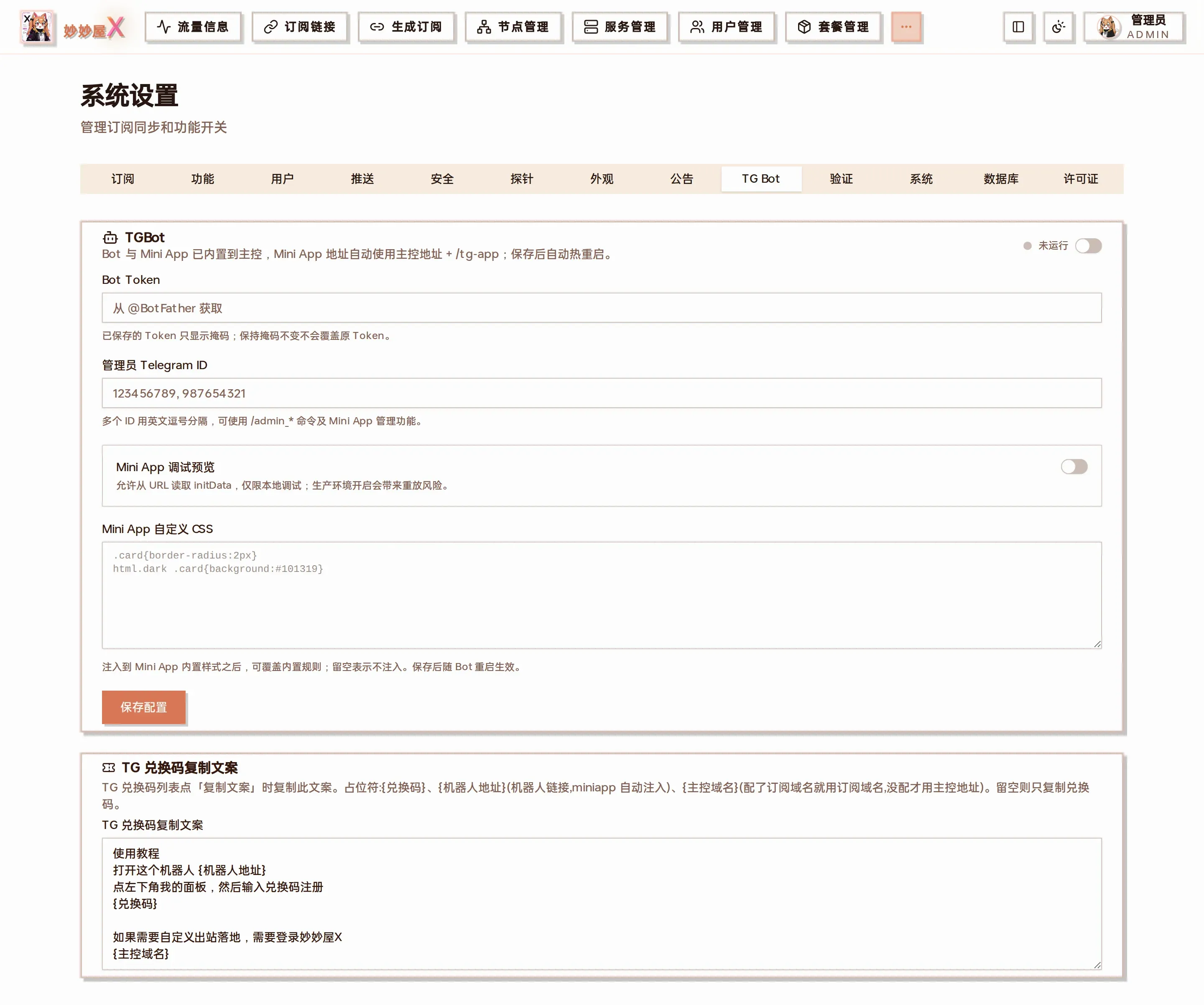
TG Bot: enable the built-in Bot and Mini App, Bot Token, admin Telegram IDs, redeem-code copy text, see Telegram Bot
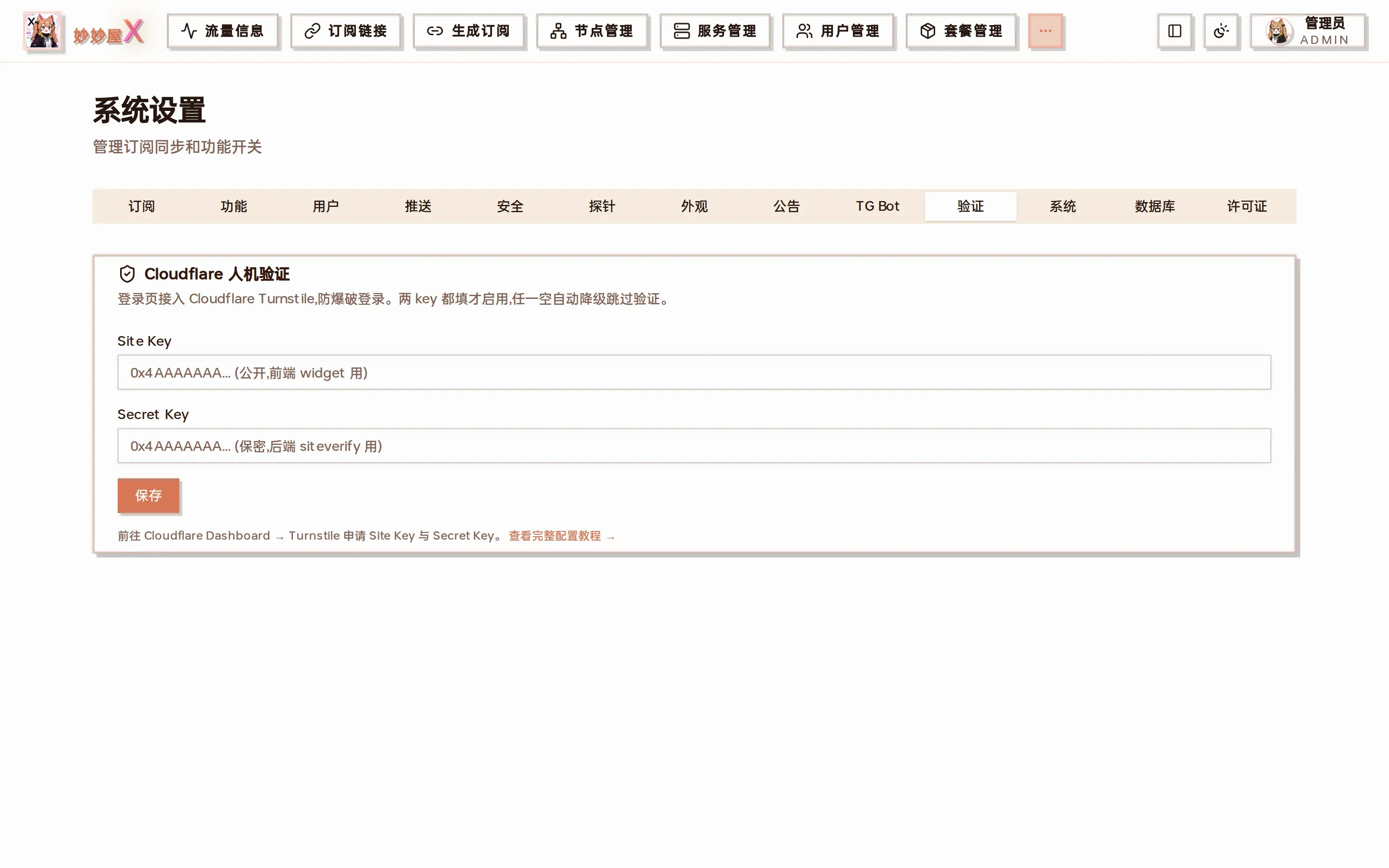
Captcha: Cloudflare Turnstile Site Key / Secret Key, see Cloudflare Turnstile
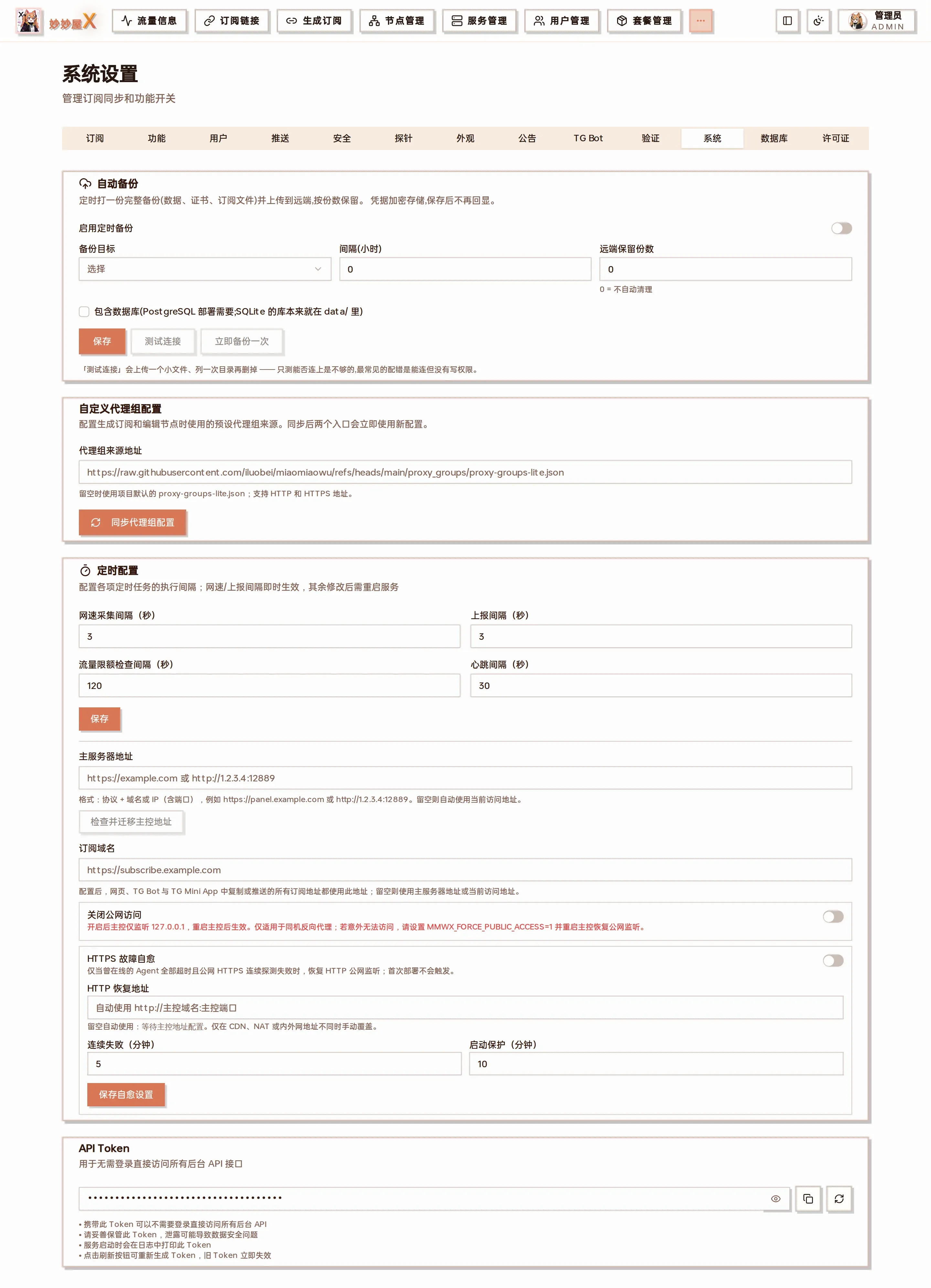
System: auto backup, custom proxy-group source, scheduler intervals, master address / subscription domain / Agent connection address (see Domains), disable public access, HTTPS self-healing, API Token
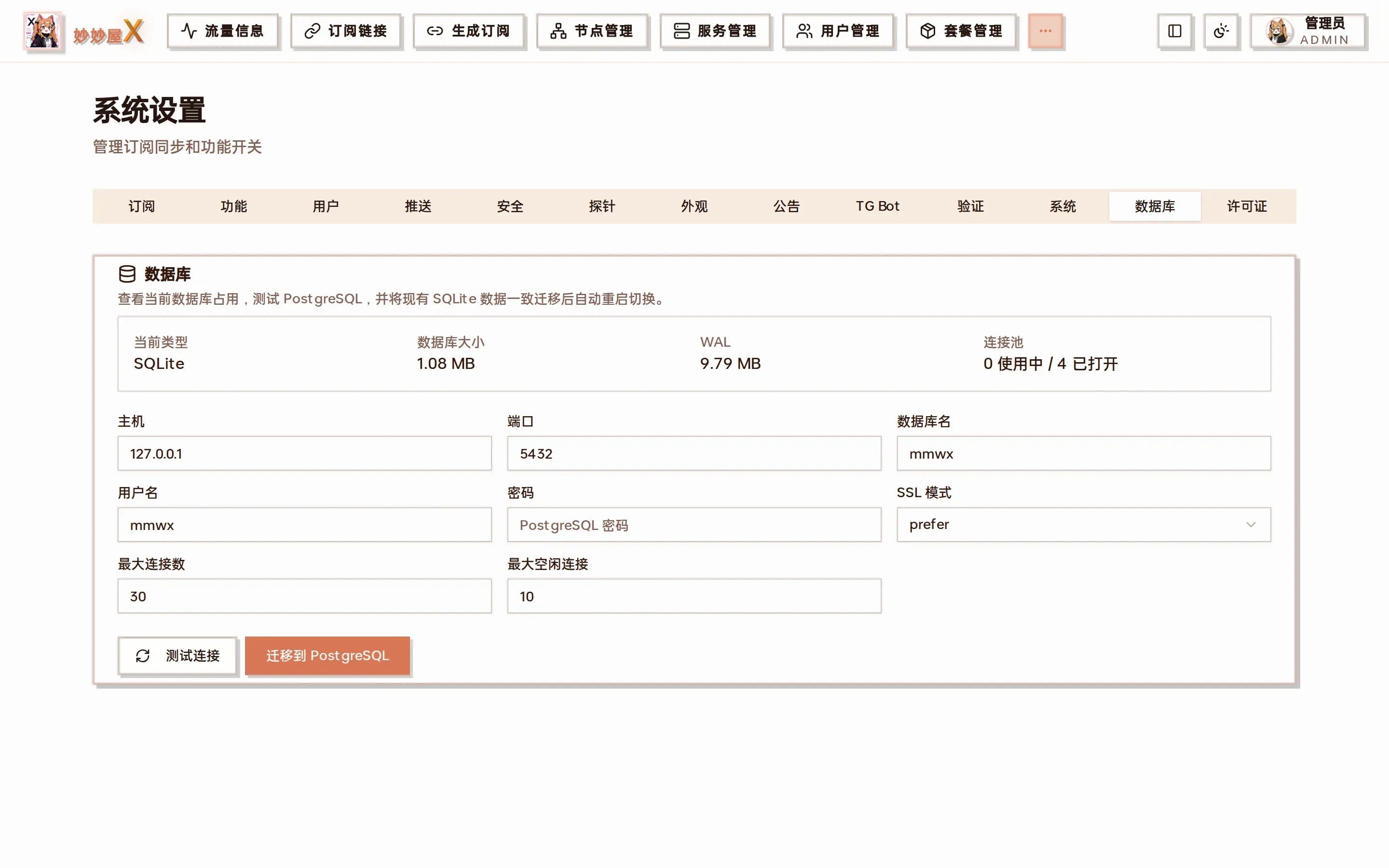
Database: view the current database type and migrate between SQLite and PostgreSQL, see Backup & Restore
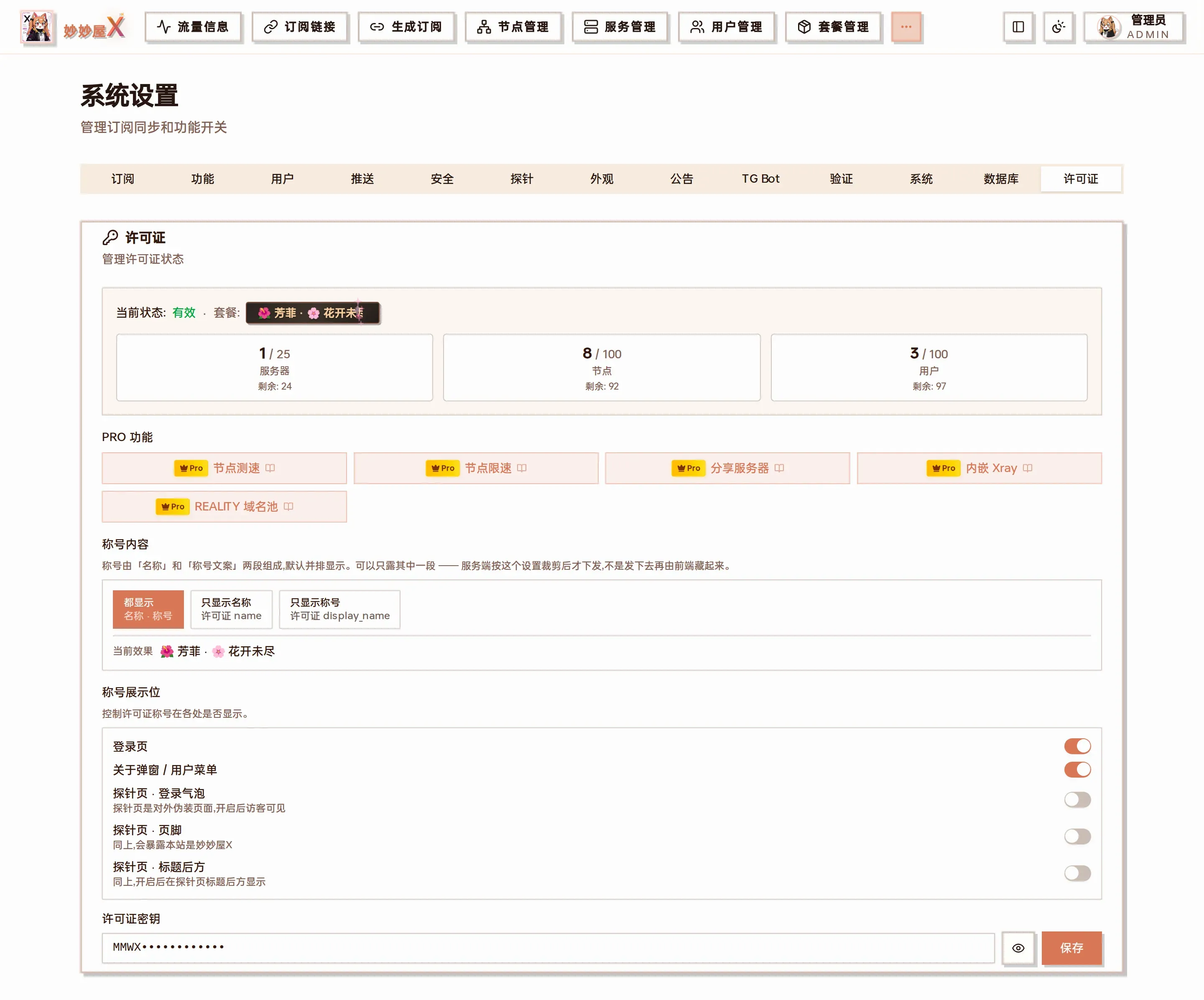
License: after saving the license key it shows the plan, quotas (servers / nodes / users) and unlocked PRO features, plus where the license title is displayed
External Subscription Sync Settings
Section titled “External Subscription Sync Settings”Configure sync behavior for external subscriptions (airport subscriptions). When external subscription links are imported, these settings control how external nodes are fetched and updated.
Sync External Subscription Traffic Info
Section titled “Sync External Subscription Traffic Info”| Type | Toggle |
| Default | Off |
| Description | When enabled, traffic info page data includes external subscription traffic. The system reads the subscription-userinfo response header when fetching subscriptions and merges traffic data into total statistics. |
Append Subscription Info to Node Names
Section titled “Append Subscription Info to Node Names”| Type | Toggle |
| Default | Off |
| Description | When enabled, remaining traffic and days are appended to node names during external subscription sync. Example: NodeName 398.22GB 26Days. Convenient for users to view subscription traffic and validity directly in clients. |
Node Name Filter
Section titled “Node Name Filter”| Type | Text input (regex) |
| Default | |
| Description | Uses regex to match node names. Matched nodes are filtered out during sync. Commonly used to filter traffic info nodes, announcement nodes, and other non-proxy nodes from airport subscriptions. Leave empty for no filtering. |
External Subscription Sync
Section titled “External Subscription Sync”| Type | Toggle |
| Default | Off |
| Description | When enabled, the system re-fetches the latest nodes from external subscription links every time a user gets a subscription, updating the database. When disabled, only uses nodes already saved in the database. |
Enabling increases subscription API response time since external subscription links must be accessed each time. Recommended to use with cache TTL.
When enabled, the following sub-configurations expand:
Match Rule
Section titled “Match Rule”Controls how local and remote nodes are matched during sync.
| Option | Description |
|---|---|
| Node Name | Match by node name (default), suitable for subscriptions with stable node names |
| Server:Port | Match by server address and port, suitable for subscriptions with frequently changing names |
| Type:Server:Port | Match by protocol type + server + port, most precise matching |
Sync Scope
Section titled “Sync Scope”Controls which nodes are updated during sync.
| Option | Description |
|---|---|
| Sync Saved Nodes Only | Only update nodes already in the database (default), won’t auto-add new nodes |
| Sync All Nodes | Sync all nodes from remote subscription, new nodes auto-added to database |
Keep Current Node Names
Section titled “Keep Current Node Names”| Default | On |
| Description | When enabled, preserves database node names during sync instead of using external subscription names. Suitable when node names have been manually modified. |
Cache TTL (minutes)
Section titled “Cache TTL (minutes)”| Default | 0 (re-fetch every time) |
| Description | Set to 0 to re-fetch external subscription on every subscription request. When > 0, only re-fetches if the set minutes have passed since last fetch. Recommended 30-60 minutes to balance freshness and response speed. |
Client IP allowlist
Section titled “Client IP allowlist”In the “Security” tab. On servers with the allowlist enabled, proxy ports only accept connections from listed source IPs; the list is filled by users’ clients reporting directly, so admins do not maintain it by hand.
- Enabled servers: tick the servers to protect. Protected ports follow the server’s current inbounds automatically; inter-server inbounds (forward exits
fwd-exit-*,wg-transit-*), loopback-only inbounds and the master’s and Agent’s own ports are excluded. An empty list leaves the allowlist inactive instead of closing the ports. - IPs per user: 10 by default (one device usually takes two, v4 and v6). When exceeded, the earliest added one is pushed out.
- IP expiry (days): 7 by default; IPs not reported for that many days are removed. 0 means never expire.
- List: shows each IP’s region and carrier (requires the IP region database) and lets you remove entries one by one.
- po0 server config: some servers sit behind the po0 firewall. Click “po0 服务器配置” (po0 server config; this card is not translated yet), choose which servers are po0 servers and enter the po0 token. A po0 server has only 5 allowlist slots in total, shared by all users. See Client settings · po0 allowlisting.
Users get their report link in “Personal settings → Client IP allowlist” and also see the region of their own IPs there; the official client reports automatically. The report link uses the master address; with a subscription domain it can go through that domain as well.
Feature Toggles
Section titled “Feature Toggles”Manage the enabled status of system feature modules.
Silent Mode
Section titled “Silent Mode”| Type | Toggle |
| Default | Off |
| Description | When enabled, MiaoMiaoWu X returns 404 pages for all requests, hiding the panel’s existence. When a user fetches a subscription via subscription link, the server resumes normal access for a duration set by Recovery Duration. After timeout, it re-enters silent mode. |
After enabling silent mode, you cannot directly access the panel. Only fetching a subscription can temporarily restore access. Ensure subscription links are properly configured before enabling.
Recovery Duration (minutes)
Section titled “Recovery Duration (minutes)”| Default | 15 minutes |
| Range | 1 - 1440 minutes |
| Description | Duration of normal access after a user fetches a subscription. After timeout, re-enters 404 silent mode. |
Enable Short Links
Section titled “Enable Short Links”| Type | Toggle |
| Default | Off |
| Description | When enabled, the subscription link page shows an additional 6-character short link. Short links are easier to share and type. Users can reset short links in personal settings. |
Client Compatibility Mode
Section titled “Client Compatibility Mode”| Type | Toggle |
| Default | Off |
| Description | When enabled, subscription generation auto-filters node types unsupported by the target client (e.g., WireGuard nodes unsupported by Clash), only logging instead of erroring. When disabled, incompatible nodes produce error messages. |
Override Scripts
Section titled “Override Scripts”| Type | Toggle |
| Default | Off |
| Description | When enabled, the override management page shows script functionality. Use JavaScript scripts to modify subscription configs, such as changing node properties, adding custom fields, adjusting proxy group structure, etc. For users with advanced customization needs. |
Probe Server Binding
Section titled “Probe Server Binding”| Type | Toggle |
| Default | Off |
| Description | When enabled, each node in the node management list shows a probe binding button, allowing nodes to be bound to specific probe servers. Once bound, traffic statistics only aggregate probe data for that node, enabling more precise traffic attribution. |
Enable Proxy Provider
Section titled “Enable Proxy Provider”| Type | Toggle |
| Default | Off |
| Description | Proxy Provider allows dynamically loading nodes from external subscriptions. When enabled, proxy providers can be configured on the subscription files page and dragged into proxy groups during editing. Suitable for mixed use of local and external airport nodes. |
Template Version
Section titled “Template Version”| Type | Radio |
| Default | v2 (Universal Backend) |
| Description | Select the template engine version used for subscription generation. Different versions have different template syntax and capabilities. |
| Version | Name | Description |
|---|---|---|
v1 |
Legacy | Uses file templates from rule_templates directory, direct YAML file editing |
v2 |
Universal Backend | Uses database-stored templates, supports web-based visual management, compatible with universal backend template format |
v3 |
New | New template system, mihomo-like config style, supports visual proxy group and rule editing |
Subscription Response Header Traffic Info
Section titled “Subscription Response Header Traffic Info”| Type | Toggle |
| Default | On |
| Description | When enabled, the system reads probe and external subscription traffic data during subscription fetch and writes subscription-userinfo info to HTTP response headers. Clients (like Clash, Stash) display traffic usage and expiry accordingly. When disabled, skips traffic data reading and doesn’t write response headers. |
Subscription Serialization Format
Section titled “Subscription Serialization Format”| Type | Radio |
| Default | YAML |
| Options |
|
| Description | Select Clash subscription output format. Default YAML. When JSON is selected, Clash subscriptions output in JSON format. This setting only affects Clash format subscriptions, not other client formats (Surge, Sing-Box, Shadowrocket, etc.). |
Subscription Info Nodes
Section titled “Subscription Info Nodes”| Type | Toggle |
| Default | Off |
| Description | When enabled, two info nodes are added at the top of the node list during subscription output, showing expiry time and remaining traffic. These are not real proxy nodes, only for displaying subscription info in client node lists. |
When enabled, you can customize info node prefix text:
Expiry Time Prefix
Section titled “Expiry Time Prefix”| Default | Expiry |
| Example Output | |
Remaining Traffic Prefix
Section titled “Remaining Traffic Prefix”| Default | Traffic |
| Example Output | |
Notification Push Configuration
Section titled “Notification Push Configuration”Push system critical event notifications via Telegram Bot.
Enable Push Notifications
Section titled “Enable Push Notifications”| Type | Toggle |
| Default | Off |
| Description | When enabled, the system sends event notifications via Telegram Bot. First configure Bot Token and Chat ID by clicking the gear icon next to the notification push toggle. |
Telegram Bot Configuration
Section titled “Telegram Bot Configuration”Click the gear icon next to the notification push toggle to expand the config panel.
| Config Item | Format | Description |
|---|---|---|
| Bot Token | 123456:ABC-DEF... |
API Token obtained after creating a Bot from @BotFather |
| Chat ID | -1001234567890 |
Telegram chat ID to receive notifications, can be personal, group, or channel |
After configuration, click Send Test Notification to verify the setup.
Notification Events
Section titled “Notification Events”Each notification event can be independently toggled:
| Event | Default | Description |
|---|---|---|
| Subscription Fetch | On | Send notification when user fetches subscription, includes username, client type, and IP |
| Login | On | Send notification when user logs into panel, includes username and IP |
| IP Ban | On | Send notification when IP is auto-banned due to multiple bad requests |
| Silent Mode | On | Send notification on silent mode status changes (entering/exiting 404 state) |
| Subscription Expiry | On | Send reminder when user subscription is about to expire |
| Daily Traffic | Off | Send daily traffic statistics report. When enabled, set send time (default 08:00) in 24-hour HH:MM format |
Proxy Group Config Sync
Section titled “Proxy Group Config Sync”| Description | Sync the latest preset proxy group config from a remote address. Proxy group config contains common rule categories and corresponding rule-providers settings. After sync, updates the rule selector and preset proxy groups on the subscription generation page. |
| Remote Config Address | Customize the remote config URL. Leave empty to use system default or environment variable configured address. |
| Operation | Click Sync Proxy Group Config button to manually trigger sync. A confirmation prompt appears after successful sync. |
Master Config File
Section titled “Master Config File”Master service configuration is set via config file or environment variables, independent of Web UI system settings.
port: 12889database_path: data/traffic.dbjwt_secret: your-secret-keylog_level: infoallowed_origins: "*"Config file specified via -c config.yaml, can also be overridden by environment variables.
| Config | Description | Default |
|---|---|---|
| port | Backend HTTP service listen port | 12889 |
| database_path | SQLite database file path | data/traffic.db |
| jwt_secret | JWT signing key for user authentication | - |
| log_level | System log level (debug / info / warn / error) | info |
| allowed_origins | CORS allowed origins, * allows all | * |
Master Environment Variables
Section titled “Master Environment Variables”Environment variables override same-named config in config.yaml:
| Variable | Description |
|---|---|
| PORT | Service port |
| JWT_SECRET | JWT signing key |
| LOG_LEVEL | Log level |
| ALLOWED_ORIGINS | CORS allowed origins |
Agent Connection Config
Section titled “Agent Connection Config”Agent is deployed on remote proxy servers and needs to configure the connection to Master.
# config.yaml (Agent 端)master_url: "https://your-master-domain.com"token: "your-server-token"listen_port: "23889"connection_mode: "auto"traffic_report_interval: "1m"speed_report_interval: "3s"restart_method: "auto"restart_command: ""| Config | Description | Default |
|---|---|---|
| master_url | Master server address | - |
| token | Server authentication Token | - |
| listen_port | Agent API listen port | 23889 |
| connection_mode | Connection mode (see below) | auto |
| traffic_report_interval | Traffic data report interval | 1m |
| speed_report_interval | Speed data report interval | 3s |
| restart_method | Xray restart method (auto / systemctl / custom command) | auto |
| restart_command | Custom restart command (effective when restart_method is not auto) | - |
Connection Modes
Section titled “Connection Modes”Agent and Master support multiple communication methods. Choose the most suitable mode based on your network environment.
auto (Recommended)
Section titled “auto (Recommended)”Automatically selects the best connection method. Prioritizes WebSocket, falls back to HTTP, then Pull mode. Supports exponential backoff auto-reconnection.
websocket
Section titled “websocket”Full-duplex WebSocket connection with real-time bidirectional communication. Heartbeat interval 30 seconds, idle timeout 5 minutes. Suitable for stable networks.
Actively pushes data to Master via HTTP POST. Suitable for environments that cannot establish persistent connections.
Passive mode, Master actively pulls Agent data. Agent only exposes local API, no need to actively connect to Master. Suitable when Agent is behind NAT or cannot make outbound connections.
Agent Environment Variables
Section titled “Agent Environment Variables”Environment variables override same-named config in config.yaml:
| Variable | Description |
|---|---|
| MMWX_MASTER_URL | Master address |
| MMWX_TOKEN | Server authentication Token |
| MMWX_CONNECTION_MODE | Connection mode (auto / websocket / http / pull) |
| MMWX_LISTEN_PORT | Agent API listen port |
| MMWX_XRAY_CONFIG | Xray config file path (config.json) |
| MMWX_XRAY_CONFDIR | Xray config directory path (multi-file mode) |
| MMWX_TRAFFIC_INTERVAL | Traffic report interval (e.g., 1m, 30s) |
| MMWX_SPEED_INTERVAL | Speed report interval (e.g., 3s, 5s) |
| MMWX_RESTART_METHOD | Xray restart method |
| MMWX_RESTART_COMMAND | Custom Xray restart command |